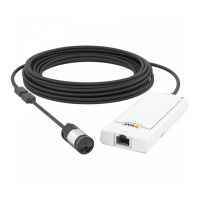
AXISP1265MkIIModularPinholeCamera
Thewebinterface
•Manual:Fixthewhitebalancewiththehelpofawhiteobject.Dragthecircletoanobjectthatyouwant
thecameratointerpretaswhiteintheliveviewimage.UsetheRedbalanceandBluebalancesliderstoadjustthe
whitebalancemanually.
Exposure
Selectanexposuremodetoreducerapidlychangingirregulareffectsintheimage,forexample,ickerproducedbydifferenttypesof
lightsources.Werecommendyoutousetheautomaticexposuremode,orthesamefrequencyasyourpowernetwork.
Exposuremode:
•Automatic:Thecameraadjuststheaperture,gain,andshutterautomatically.
•Automaticaperture
:Thecameraadjuststheapertureandgainautomatically.Theshutterisxed.
•Automaticshutter
:Thecameraadjuststheshutterandgainautomatically.Theapertureisxed.
•Holdcurrent:Locksthecurrentexposuresettings.
•Flicker-free
:Thecameraadjuststheapertureandgainautomatically,andusesonlythefollowingshutter
speeds:1/50s(50Hz)and1/60s(60Hz).
•Flicker-free50Hz
:Thecameraadjuststheapertureandgainautomatically,andusestheshutterspeed1/50s.
•Flicker-free60Hz
:Thecameraadjuststheapertureandgainautomatically,andusestheshutterspeed1/60s.
•Flicker-reduced
:Thisisthesameasicker-free,butthecameramightuseshutterspeedsfasterthan
1/100s(50Hz)and1/120s(60Hz)forbrighterscenes.
•Flicker-reduced50Hz
:Thisisthesameasicker-free,butthecameramightuseshutterspeedsfaster
than1/100sforbrighterscenes.
•Flicker-reduced60Hz
:Thisisthesameasicker-free,butthecameramightuseshutterspeedsfaster
than1/120sforbrighterscenes.
•Manual
:Theaperture,gain,andshutterarexed.
Exposurezone
:Useexposurezonestooptimizetheexposureinaselectedpartofthescene,forexample,theareain
frontofanentrancedoor.
Note
Theexposurezonesarerelatedtotheoriginalimage(unrotated),andthenamesofthezonesapplytotheoriginalimage.
Thismeans,forexample,thatifthevideostreamisrotated90°,thentheUpperzonebecomestheRightzoneinthe
stream,andLeftbecomesLower.
•Automatic:Suitableformostsituations.
•Center:Usesaxedareainthecenteroftheimagetocalculatetheexposure.Theareahasaxedsizeand
positionintheliveview.
•Full
:Usestheentireliveviewtocalculatetheexposure.
•Upper
:Usesanareawithaxedsizeandpositionintheupperpartoftheimagetocalculatetheexposure.
•Lower
:Usesanareawithaxedsizeandpositioninthelowerpartoftheimagetocalculatetheexposure.
•Left
:Usesanareawithaxedsizeandpositionintheleftpartoftheimagetocalculatetheexposure.
•Right
:Usesanareawithaxedsizeandpositionintherightpartoftheimagetocalculatetheexposure.
19




 To Next Page