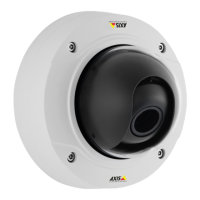
AXISP1265MkIIModularPinholeCamera
Thewebinterface
Usedefault:Turnofftoenteryourowndefaultmessage.
Topic:Enterthetopicforthedefaultmessage.
Payload:Enterthecontentforthedefaultmessage.
Retain:SelecttokeepthestateofclientonthisTopic
QoS:ChangetheQoSlayerforthepacketow.
MQTTpublication
Usedefaulttopicprex:Selecttousethedefaulttopicprex,thatisdenedinthedevicetopicprexintheMQTTclienttab.
Includetopicname:SelecttoincludethetopicthatdescribestheconditionintheMQTTtopic.
Includetopicnamespaces:SelecttoincludeONVIFtopicnamespacesintheMQTTtopic.
Includeserialnumber:Selecttoincludethedevice’sserialnumberintheMQTTpayload.
Addcondition:Clicktoaddacondition.
Retain:DeneswhichMQTTmessagesaresentasretained.
•None:Sendallmessagesasnon-retained.
•Property:Sendonlystatefulmessagesasretained.
•All:Sendbothstatefulandstatelessmessagesasretained.
QoS:SelectthedesiredlevelfortheMQTTpublication.
MQTTsubscriptions
Addsubscription:ClicktoaddanewMQTTsubscription.
Subscriptionlter:EntertheMQTTtopicthatyouwanttosubscribeto.
Usedevicetopicprex:AddthesubscriptionlterasprextotheMQTTtopic.
Subscriptiontype:
•Stateless:SelecttoconvertMQTTmessagesintoastatelessmessage.
•Stateful:SelecttoconvertMQTTmessagesintoacondition.Thepayloadisusedasthestate.
QoS:SelectthedesiredlevelfortheMQTTsubscription.
MQTToverlays
Note
ConnecttoanMQTTbrokerbeforeyouaddMQTToverlaymodiers.
Addoverlaymodier:Clicktoaddanewoverlaymodier.
Topiclter:AddtheMQTTtopicthatcontainsthedatayouwanttoshowintheoverlay.
Dataeld:Specifythekeyforthemessagepayloadthatyouwanttoshowintheoverlay,assumingthemessageisinJSONformat.
Modier:Usetheresultingmodierwhenyoucreatetheoverlay.
•Modiersthatstartwith#XMPshowallofthedatareceivedfromthetopic.
38




 To Next Page