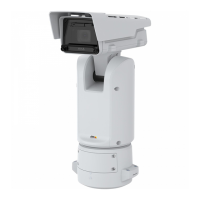
AXISQ1656BoxCameraSeries
Troubleshooting
TheIPaddresshasbeen
changedbyDHCP
IPaddressesobtainedfromaDHCPserveraredynamicandmaychange.IftheIPaddresshasbeen
changed,useAXISIPUtilityorAXISDeviceManagertolocatethedeviceonthenetwork.Identify
thedeviceusingitsmodelorserialnumber,orbytheDNSname(ifthenamehasbeencongured).
Ifrequired,astaticIPaddresscanbeassignedmanually.Forinstructions,gotoaxis.com/support.
Certicateerrorwhenusing
IEEE802.1X
Forauthenticationtoworkproperly,thedateandtimesettingsintheAxisdevicemustbe
synchronizedwithanNTPserver.GotoSystem>Dateandtime.
Thedeviceisaccessiblelocallybutnotexternally
Toaccessthedeviceexternally,werecommendyoutouseoneofthefollowingapplicationsforWindows
®
:
•AXISCompanion:freeofcharge,idealforsmallsystemswithbasicsurveillanceneeds.
•AXISCameraStation:30-daytrialversionfreeofcharge,idealforsmalltomid-sizesystems.
Forinstructionsanddownload,gotoaxis.com/vms.
Problemswithstreaming
MulticastH.264only
accessiblebylocalclients
Checkifyourroutersupportsmulticasting,orifyouneedtoconguretheroutersettingsbetween
theclientandthedevice.YoumightneedtoincreasetheTTL(TimeToLive)value.
NomulticastH.264
displayedintheclient
CheckwithyournetworkadministratorthatthemulticastaddressesusedbytheAxisdevice
arevalidforyournetwork.
Checkwithyournetworkadministratortoseeifthereisarewallthatpreventsviewing.
PoorrenderingofH.264
images
Ensurethatyourgraphicscardusesthelatestdriver.Youcanusuallydownloadthelatestdrivers
fromthemanufacturer’swebsite.
Colorsaturationisdifferent
inH.264andMotionJPEG
Modifythesettingsforyourgraphicsadapter.Gototheadapter’sdocumentationformore
information.
Lowerframeratethan
expected
•SeePerformanceconsiderationsonpage71.
•Reducethenumberofapplicationsrunningontheclientcomputer.
•Limitthenumberofsimultaneousviewers.
•Checkwiththenetworkadministratorthatthereisenoughbandwidthavailable.
•Lowertheimageresolution.
•Themaximumframespersecondisdependentontheutilityfrequency(60/50Hz)
oftheAxisdevice.
Can'tselectH.265encoding
inliveview
Webbrowsersdon’tsupportH.265decoding.Useavideomanagementsystemorapplication
thatsupportsH.265decoding.
Can’tconnectoverport8883withMQTToverSSL
Therewallblockstrafc
usingport8883asit’s
deemedinsecure.
Insomecasestheserver/brokermightnotprovideaspecicportforMQTTcommunication.Itmay
stillbepossibletouseMQTToveraportnormallyusedforHTTP/HTTPStrafc.
•Iftheserver/brokersupportsWebSocket/WebSocketSecure(WS/WSS),typicallyon
port443,usethisprotocolinstead.Checkwiththeserver/brokerprovidertoseeif
WS/WSSissupportedandwhichportandbasepathtouse.
•Iftheserver/brokersupportsALPN,theuseofMQTTcanbenegotiatedoveranopen
port,suchas443.Checkwithyourserver/brokerprovidertoseeifALPNissupported
andwhichALPNprotocolandporttouse.
Performanceconsiderations
Whensettingupyoursystem,itisimportanttoconsiderhowvarioussettingsandsituationsaffecttheperformance.Somefactors
affecttheamountofbandwidth(thebitrate)required,otherscanaffecttheframerate,andsomeaffectboth.Iftheloadonthe
CPUreachesitsmaximum,thisalsoaffectstheframerate.
71



 To Next Page