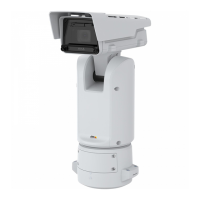
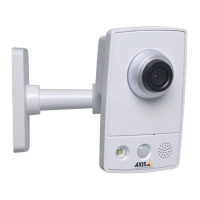
AXISQ1656-LEBoxCamera
Thewebinterface
Stabilizermargin:Usetheslidertoadjustthesizeofthestabilizermargin,whichdeterminesthelevelofvibrationto
stabilize.Iftheproductismountedinanenvironmentwithalotofvibration,movetheslidertowardsMax.Asaresult,asmaller
sceneiscaptured.Iftheenvironmenthaslessvibration,movetheslidertowardsMin.
Straightenimage
:Turnonandusetheslidertostraightentheimagehorizontallybyrotatingandcroppingitdigitally.The
functionalityisusefulwhenit’snotpossibletomountthecameraexactlylevel.Ideally,straightentheimageduringinstallation.
:Clicktoshowasupportinggridintheimage.
:Clicktohidethegrid.
Theimagebeforeandafterithasbeenstraightened.
Trafccamerainstallationassistance
Capturesettings
•Cameraheight:Enterthedistancebetweenthecameraandtheground.
•Roaddistance:Enterthedistancebetweenthecameraandthemiddleoftheroad.
•Typicalcarspeed:Enterthetypicalcarspeed.
•Accelerometer:Turnontoautomaticallygetthedistancebetweenthecameraandthecarsontheroad.
•Cardistance:Enterthedistancebetweenthecameraandthecarsontheroad.
Installationoverview:Installationoverviewprovidesthepositionandangleyoushouldinstallyourcameraforoptimalview.It
alsoindicatesifthereisneedforanychangeinhowyoumountthecamera.
•Verticalangle:Thisshouldbebetween0and29foragoodtiltposition.
•Horizontalangle:Thisshouldbebetween0and29foragoodpanposition.
•Rollangle:Thisshouldbebetween0and24degreesforagoodrotation.
•Cardistance:Thisisthedistancethatshouldbebetweenthemovingvehiclesandthecamera.
Imagesettings:AnoverviewoftheMaxshutterandSceneproleyou’veconguredwiththesesettings.
•Applysettings:Clicktoactivatetheconguration.Yourdevicereloadsandupdatesthesceneprole.
Image
Appearance
23



 To Next Page