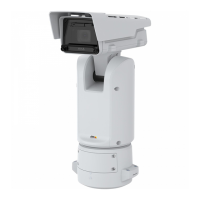
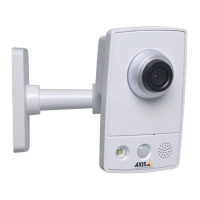
AXISQ1656-LEBoxCamera
Configureyourdevice
Configureyourdevice
Replacethelens
1.Stopallrecordingsanddisconnectpowerfromthedevice.
2.Disconnectthelenscableandremovethestandardlens.
3.Attachthenewlensandconnectthelenscable.
4.Reconnectthepower.
5.Logintothedevice’swebinterfaceandgotoVideo>Image>Exposure.
6.SelecttheP-Irislensyouhaveinstalled.
Note
IfyouuseaDCiris,manualirisoroptionali-CSlensthereisnoneedtoselectalensdriver.
7.Forthechangestotakeeffect,youneedtorestartthedevice.GotoMaintenanceandclickRestart.
8.Adjustthezoomandfocus.
Note
ForalenswithP-Iris,DC-iris,ormanualiris,manuallyadjustthefocusonthelensbeforeyoune-tunethefocusthrough
thewebinterface.
Adjusttheimage
Thissectionincludesinstructionsaboutconguringyourdevice.Ifyouwanttolearnmoreabouthowcertainfeatureswork,go
toLearnmoreonpage56.
Adjustthezoomandfocus
Selectsceneprole
Asceneproleisasetofpredenedimageappearancesettingsincludingcolorlevel,brightness,sharpness,contrastandlocal
contrast.Sceneprolesarepreconguredintheproductforquicksetuptoaspecicscenario,forexampleForensicwhichis
optimizedforsurveillanceconditions.Foradescriptionofeachavailablesetting,seeThewebinterfaceonpage19.
Youcanselectasceneproleduringtheinitialsetupofthecamera.Youcanalsoselectorchangesceneprolelater.
1.GotoVideo>Image>Appearance.
2.GotoSceneproleandselectaprole.
Selectexposuremode
Toimproveimagequalityforspecicsurveillancescenes,useexposuremodes.Exposuremodesletsyoucontrolaperture,shutter
speed,andgain.GotoVideo>Image>Exposureandselectbetweenthefollowingexposuremodes:
•Formostusecases,selectAutomaticexposure.
•Forenvironmentswithcertainarticiallighting,forexampleuorescentlighting,selectFlicker-free.
Selectthesamefrequencyasthepowerlinefrequency.
•Forenvironmentswithcertainarticiallightandbrightlight,forexampleoutdoorswithuorescentlightingatnightand
sunduringdaytime,selectFlicker-reduced.
6



 To Next Page