AXISQ1659NetworkCamera
1.Removetherearlenscapandthebodycap.
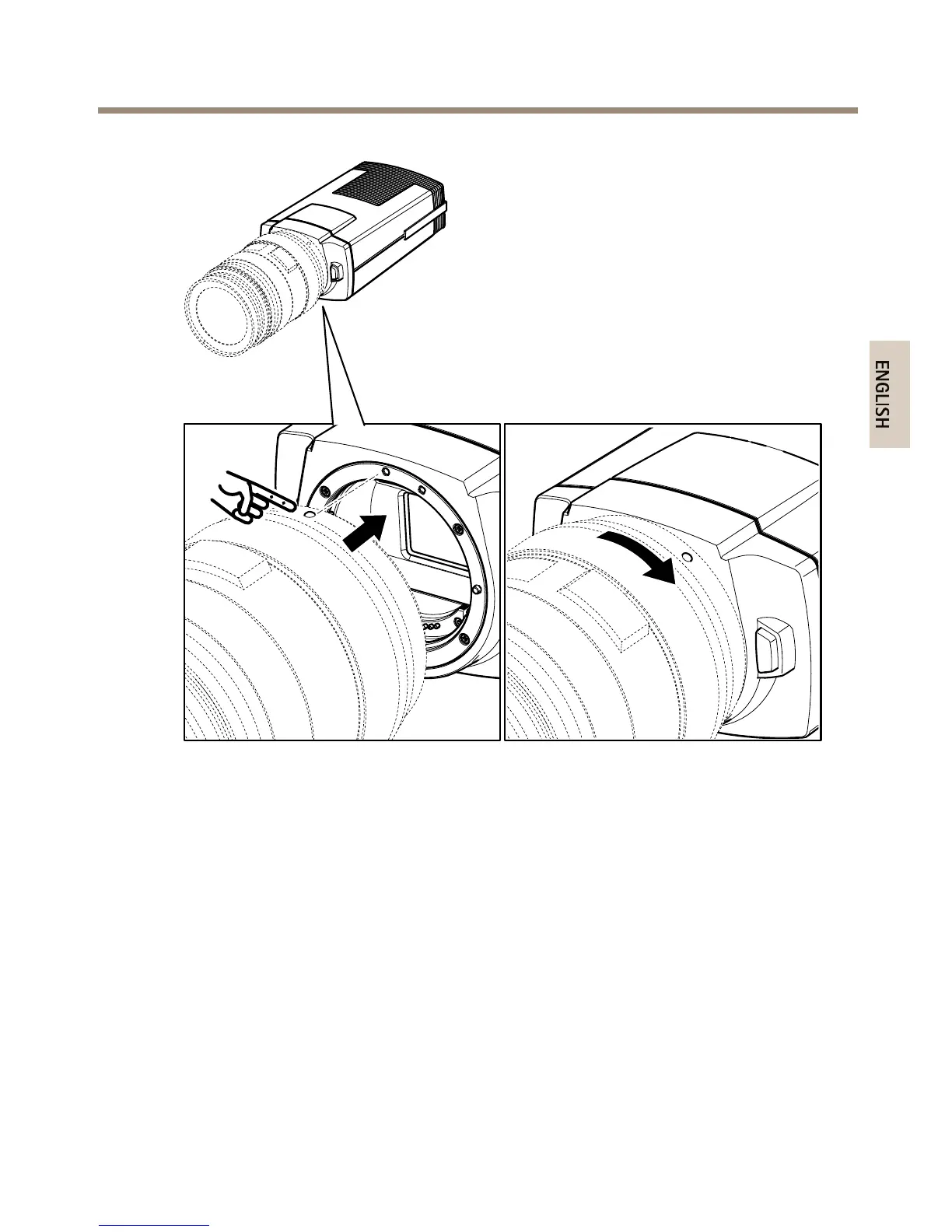
2.Mountthelensbyaligningthelens’redorwhitemountindexwiththecamera’smount
indexofthesamecolor.
3.Setthelens’sfocusmodeswitchtoAF(autofocus).
4.Removethefrontlenscap.
5.Optionally,zoomthelensbyturningthezoomringonthelenswithyourngersandlock
thezoompositionwiththesuppliedelastic.
Howtounmountthelens
1.Presstheunlockbutton,seeProductoverviewonpage6.
2.Whilepressingtheunlockbuttonturnthelensanticlockwiseuntilitstops.
3.Removethelenscarefully.
9



 To Next Page
 Loading...







