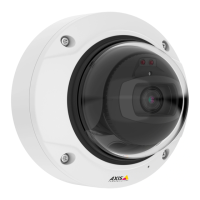
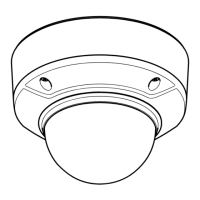
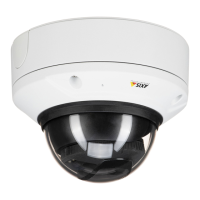
AXIS Q35 Series
Specifications
Specifications
To nd the latest version of the product’s datasheet, go to the product page at axis.com and locate Support & Documentation.
LED Indicators
Note
• The Status LED can be congured to ash while an event is active.
Status LED
Indication
Unlit
Connection and normal operation.
Green Shows steady green for 10 seconds for normal operation after startup completed.
Amber
Steady during startup. Flashes during rmware upgrade or reset to factory default.
Amber/Red Flashes amber/red if network connection is unavailable or lost.
Status LED behavior and buzzer signal for leveling assistant
For information on the function button used for leveling the image, see page 17.
Color
Buzzer
Camera position
Fixed green
Continuous beep
Level
Flashing green Fast beeps Almost level
Flashing orange Medium beeps Not level
Flashing red
Slow beeps
Far from level
SD card slot
NONO
NO
TICETICE
TICE
• Risk of damage to SD card. Do not use sharp tools, metal objects, or excessive force when inserting or removing the
SD card. Use your ngers to insert and remove the card.
• Risk of data loss and corrupted recordings. Do not remove the SD card while the product is running. Unmount the SD card
from the product’s webpage before removal.
This product supports microSD/microSDHC/microSDXC cards.
For SD card recommendations, see axis.com
microSD, microSDHC, and microSDXC Logos are trademarks of SD-3C LLC. microSD, microSDHC, microSDXC are
trademarks or registered trademarks of SD-3C, LLC in the United States, other countries or both.
Buttons
Control button
The control button is used for:
• Resetting the product to factory default settings. See How to reset to factory default settings on page 14.
17
Available from A1 Security Cameras
www.a1securitycameras.com email: sales@a1securitycameras.com


 To Next Page