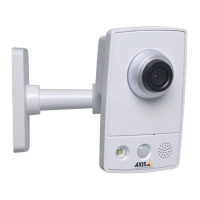
AXISQ8615-EPTZCamera
Configureyourdevice
1.GotoRecordings.
2.Click
foryourrecordinginthelist.
Verifythatnoonehastamperedwiththevideo
Withsignedvideo,youcanmakesurethatnoonehastamperedwiththevideorecordedbythecamera.
1.GotoVideo>Stream>GeneralandturnonSignedvideo.
2.UseAXISCameraStation(5.46orlater)oranothercompatiblevideomanagementsoftwaretorecordvideo.For
instructions,seetheAXISCameraStationusermanual.
3.Exporttherecordedvideo.
4.UseAXISFilePlayertoplaythevideo.DownloadAXISFilePlayer.
indicatesthatnoonehastamperedwiththevideo.
Note
Togetmoreinformationaboutthevideo,right-clickthevideoandselectShowdigitalsignature.
Setuprulesforevents
Youcancreaterulestomakeyourdeviceperformanactionwhencertaineventsoccur.Aruleconsistsofconditionsandactions.
Theconditionscanbeusedtotriggertheactions.Forexample,thedevicecanstartarecordingorsendanemailwhenitdetects
motion,orshowanoverlaytextwhilethedeviceisrecording.
Tolearnmore,checkoutourguideGetstartedwithrulesforevents.
Triggeranaction
1.GotoSystem>Eventsandaddarule.Theruledeneswhenthedevicewillperformcertainactions.Youcanset
uprulesasscheduled,recurring,ormanuallytriggered.
2.EnteraName.
3.SelecttheConditionthatmustbemettotriggertheaction.Ifyouspecifymorethanoneconditionfortherule,allofthe
conditionsmustbemettotriggertheaction.
4.SelectwhichActionthedeviceshouldperformwhentheconditionsaremet.
Note
Ifyoumakechangestoanactiverule,therulemustbeturnedonagainforthechangestotakeeffect.
Note
Ifyouchangethedenitionofastreamprolethatisusedinarule,thenyouneedtorestartalltherulesthatusethat
streamprole.
Recordvideowhenthecameradetectsanobject
ThisexampleexplainshowtosetupthecameratostartrecordingtotheSDcardwhenthecameradetectsanobject.Therecording
willincludevesecondsbeforedetectionandoneminuteafterdetectionends.
Beforeyoustart:
•MakesureyouhaveanSDcardinstalled.
14


 To Next Page