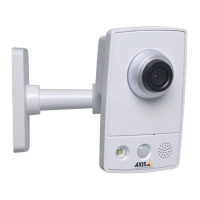
AXISQ8615-EPTZCamera
Configureyourdevice
Directthecameratoapresetpositionwhenthecameradetectsmotion
Thisexampleexplainshowtosetupthecameratogotoapresetpositionwhenitdetectsmotionintheimage.
1.Starttheapplicationifitisnotalreadyrunning.
2.Makesureyouhavesetuptheapplicationaccordingtoyourneeds.
Addapresetposition:
GotoPTZandsetwhereyouwantthecameratobedirectedbycreatingapresetposition.
Createarule:
1.GotoSystem>Eventsandaddarule.
2.Typeanamefortherule.
3.Inthelistofactions,selectGotopresetposition.
4.Selectthepresetpositionyouwantthecameratogoto.
5.ClickSave.
Zoominonaspecicareaautomaticallywithgatekeeper
Thisexampleexplainshowtousethegatekeeperfunctionalitytomakethecamerazoominautomaticallyonthelicenseplateofa
carthatpassesthroughagate.Whenthecarhaspassed,thecamerazoomsouttothehomeposition.
Createthepresetpositions:
1.GotoPTZ>Presetpositions.
2.Createthehomepositionthatincludestheentranceofthegate.
3.Createthezoomed-inpresetpositionsothatitcoverstheareaintheimagewhereyouassumethatthelicenseplate
willappear.
Createarule:
1.GotoSystem>Eventsandaddarule.
2.Nametherule“Gatekeeper”.
3.Inthelistofactions,underPresetpositions,selectGotopresetposition.
4.SelectaVideochannel.
5.SelectthePresetposition.
6.Tomakethecamerawaitawhilebeforeitreturnstothehomeposition,setatimeforHometimeout.
7.ClickSave.
Providevisualindicationofanongoingevent
YouhavetheoptiontoconnecttheAXISI/OIndicationLEDtoyournetworkcamera.ThisLEDcanbeconguredtoturnonwhenever
certaineventsoccurinthecamera.Forexample,toletpeopleknowthatvideorecordingisinprogress.
Requiredhardware
•AXISI/OIndicationLED
•AnAxisnetworkvideocamera
16


 To Next Page