AXISQ8615-EPTZCamera
Thewebinterface
Removedistortion:Usetheslidertoadjustthecorrectionlevel.Puckermeansthattheimagewidthiskeptattheexpense
ofimageheightandresolution.Bloatmeansthatimageheightandresolutionarekeptattheexpenseofimagewidth.
Imagestabilization
:Turnontogetasmootherandsteadierimagewithlessblur.Werecommendthatyouuseimage
stabilizationinenvironmentswherethedeviceismountedinanexposedlocationandsubjecttovibrationsdueto,forexample,
windorpassingtrafc.
Focallength
:Usetheslidertoadjustthefocallength.Ahighervalueleadstohighermagnicationandanarrowerangle
ofview,whilealowervalueleadstoalowermagnicationandawiderangleofview.
Stabilizermargin
:Usetheslidertoadjustthesizeofthestabilizermargin,whichdeterminesthelevelofvibrationto
stabilize.Iftheproductismountedinanenvironmentwithalotofvibration,movetheslidertowardsMax.Asaresult,asmaller
sceneiscaptured.Iftheenvironmenthaslessvibration,movetheslidertowardsMin.
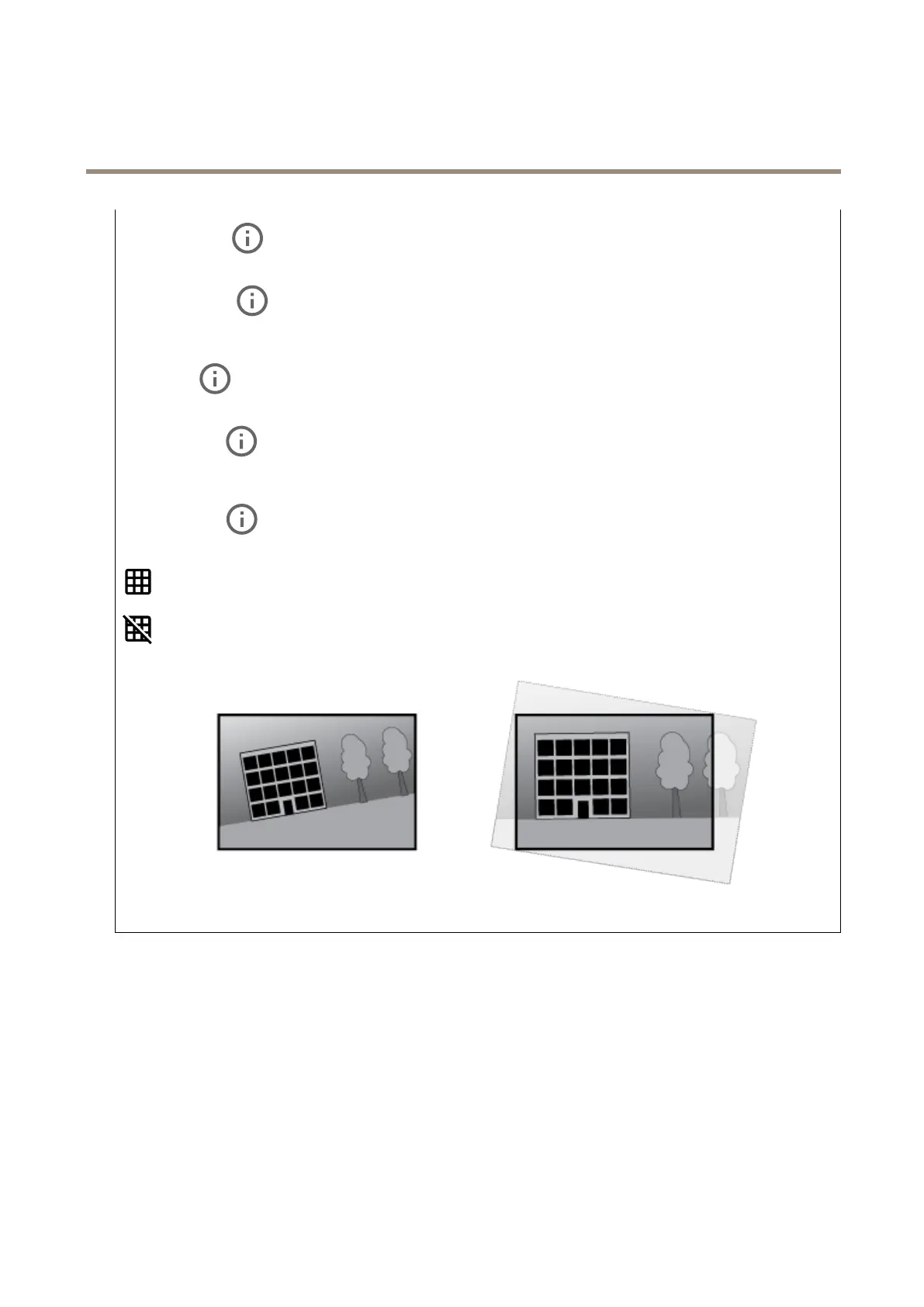
Straightenimage
:Turnonandusetheslidertostraightentheimagehorizontallybyrotatingandcroppingitdigitally.The
functionalityisusefulwhenit’snotpossibletomountthecameraexactlylevel.Ideally,straightentheimageduringinstallation.
:Clicktoshowasupportinggridintheimage.
:Clicktohidethegrid.
Theimagebeforeandafterithasbeenstraightened.
Image
Appearance
24


 To Next Page