CHANGING THE ABRASIVE BELTDISC
16
8
9
12
10
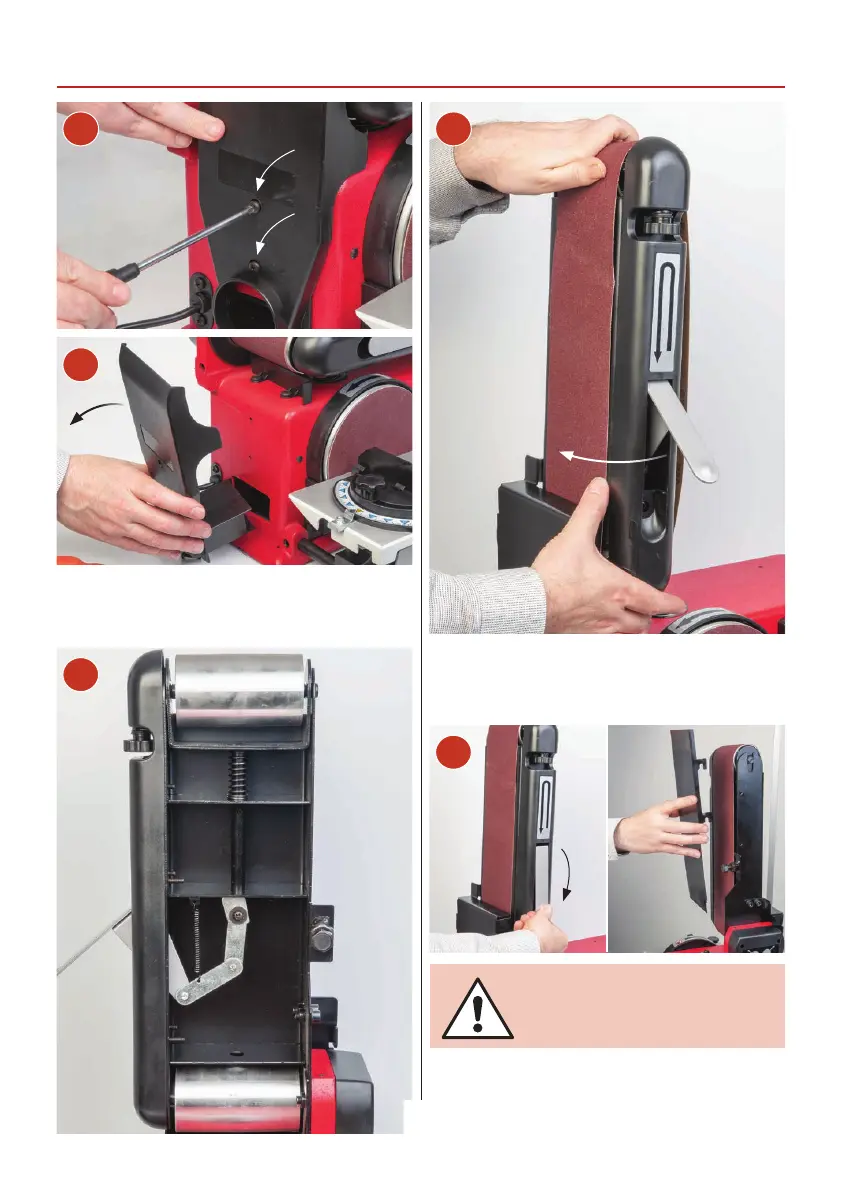
Remove the two screws holding the side extraction panel
and check for signs of build up of dust and debris. Clean
and replace the panel. Also clean the inside of the linisher.
Slide the belt over the drums, making sure the arrows on
the belt are pointing down towards the drive drum. Centre
the belt and lower the tension lever to re-tension the
linisher belt. Replace the rear guard.
Idler drum
Drive drum
11
Give the machine a ‘quick’ burst check ( i.e. quick ON-OFF)
to ensure everything is O.K. If everything is satisfactory,
continue with operation.
CLEAR ALL TOOLS AWAY FROM
THE WORK AREA. CONNECT THE
SANDER TO THE MAINS SUPPLY!



 To Next Page