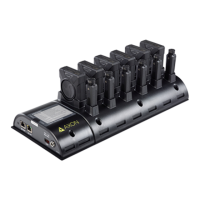
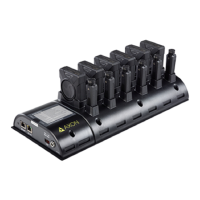
Axon Body 3 Dock Installation Manual
Axon Enterprise, Inc. Page 18 of 25
WARNING! POTENTIALLY EXPLOSIVE ENVIRONMENTS
deemed a risk factor in igniting an explosive environment. In situations where the Axon camera
operator needs to enter a potentially explosive environment, Axon recommends that the user err on
the side of caution and power off the camera before entering the explosive environment. An Axon
camera should be treated the same as a cellular telephone would be treated in this situation.
WARNING! NEODYMIUM RARE EARTH MAGNETS
Failure to follow these safety instructions could result in fire, electric shock, damage, system
malfunctions, death, or personal injury.
Neodymium Magnets. The Axon magnet mount contains a neodymium magnet which emits strong
magnetic fields that can affect a pacemaker, ICD (implantable defibrillator), VNS (vagal nerve
stimulator), and other implanted electrical medical devices. Many of these devices are made with a
feature that deactivates it when in contact with a strong magnetic field. Therefore, care must be
taken to avoid inadvertently deactivating such devices when in close proximity to the Axon magnet
mount. Persons with a pacemaker, ICD, VNS, or other implanted electrical medical device
should not wear the Axon magnet mount.
WARNING! AXON DOCK AND TASER 7 DOCK USE
Failure to follow these safety instructions could result in fire, electric shock, damage, system
malfunctions, death, or personal injury.
Electrical Warnings. To reduce the risk of fire, electric shock, or injury to persons when using any
Dock, follow basic precautions, including the following:
• Plug into a grounded 3-prong outlet and do not remove the ground prong.
• Verify the outlet is installed according to applicable local electrical codes.
• Do not use an adapter or an extension cord.
• Disconnect power and verify power disconnect before servicing.
• Keep away water, other liquids, corrosive substances, and flammable materials and vapors, such
as gasoline. Keep away from sources of static electricity. Static electricity can cause damage to
the Dock or cause it to malfunction.
• In the event of electrostatic discharge or intermittent power fluctuation, power will need to be
cycled to the unit to regain full functionality.
CAUTION! AXON DOCK USE
Maintenance. Failure to properly maintain the Dock may cause the system to malfunction or not
operate optimally.
To reduce the risk of malfunction, including failure or loss of data:
1. Anchoring and Installation. Docks should be securely placed on a flat surface; when
anchoring (for example, to the wall or other hard and stable surface) be sure to use
appropriate hardware. The following are guidelines for installation:
• Comply with your local and other applicable building and electricity regulations and
codes;



 To Next Page
 Loading...