14
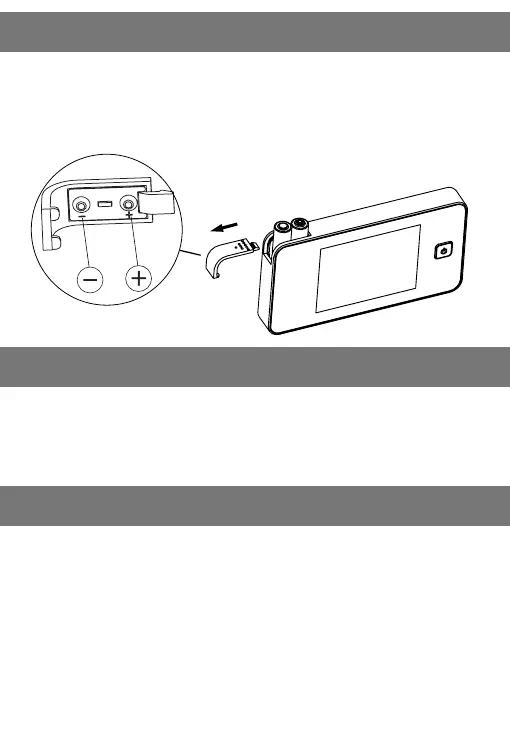
3. Installation and battery replacement
4. Operation
• 1. Slide the cover left to open.
• 2. Install the batteries in accordance with the +/- sign.
• 3. Reverse this process to close the cover.
• 1. Power Button: Press and release the power button, then the unit
will continue working for the next 10 seconds.
• 2. Light Indicator: f the light indicator turns on, please replace the
batteries.
Digital door viewer 752
• Fits any door: 38 - 110mm (1.50"-4.33") / model M=24-51mm
• Fits any barrel hole: 14 - 26 mm diameter.
• Sensor: 0.3 MegaPixel CMOS
• LCD screen: 3.2" TFT
• Power source: 2 AAA Batteries
• Tamaño: 125(W)x68(H)x15(D)mm
• Weight: 160g
5. Specication


 To Next Page