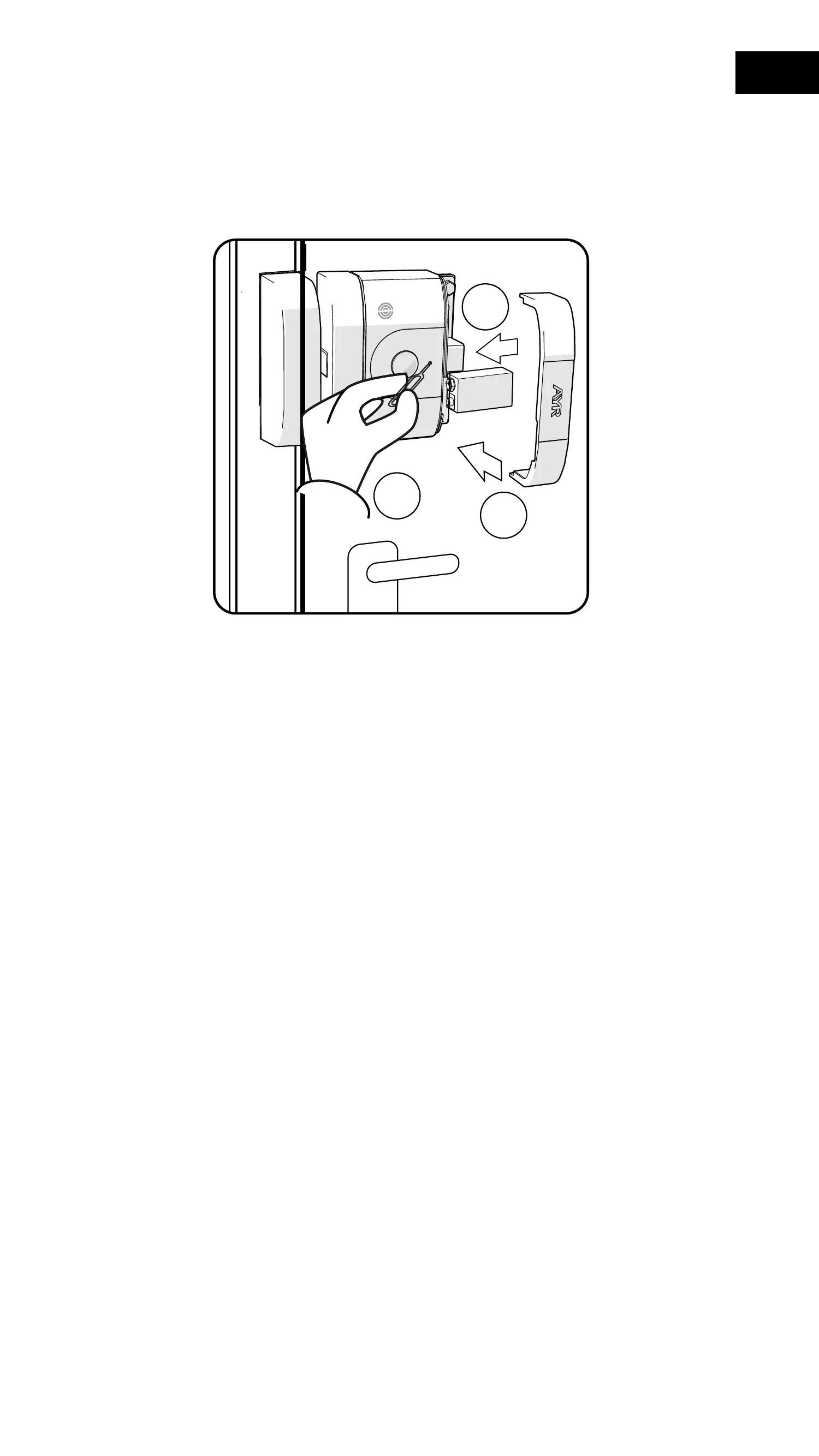
2- Insert the pairing tool into the pairing hole until you feel a slight
"Click" and press and hold the inner push button. Do not release it
during the rest of the process.
3- Without removing the pairing tool, insert the battery. A long beep
with flashing red LED will sound.
4- Remove the pairing tool and put the cover on.
5- At this point the lock has been reset to factory settings.
55
EN


 To Next Page