Need help?
Do you have a question about the AYR int LOCK PRO and is the answer not in the manual?
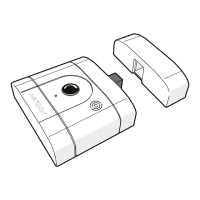
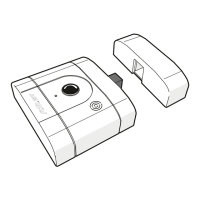
Defines the int_LOCK PRO smart security lock and its components.
Lists all the items included in the product packaging.
Details the meaning of different light and sound indicators on the device.
Provides technical details such as model, power, connectivity, size, and operating conditions.
Instructions to follow before starting the installation process.
Lists the necessary tools for installing the lock.
Step-by-step guide for physically installing the lock on the door.
Guide on how to download and install the int_egra mobile application.
Instructions for creating a new location within the int_egra app.
Steps to pair the int_LOCK device with the created location in the app.
How to use the app to open and close the int_LOCK device.
Overview of the main menu options available in the app.
Section in the app displaying device warnings and alarms.
App section to quickly access frequently used devices.
Procedure for pairing multiple AYR devices to work together.
Method for granting access to other users via the app.
Accessing the log of device activities like openings and closings.
Instructions for updating the device's firmware for improved performance.
How to rename the device for easier identification in the app.
Steps to unpair and remove the int_LOCK device from the app.
Configuration of the manual unlock button function.
Enabling or disabling audible alerts for lock operations.
Enabling or disabling the device's LED indicators.
Setting the delay time for the automatic self-locking feature.
Adjusting the sensitivity level for alarm triggering.
Information regarding the pairing process and its related issues.
Troubleshooting guide for common operational scenarios and issues.
Steps to take and causes for problems related to device theft or loss.
Instructions for manually opening the lock in case of electronic failure.
 General
| Category | Smart Lock |
|---|---|
| Lock Type | Deadbolt |
| Power Source | Battery |
| Battery Life | Up to 12 months |
| Auto Lock | Yes |
| Remote Access | Yes |
| Compatibility | iOS, Android |
| Voice Control | Yes |
| Weather Resistance | IP65 |


 To Next Page