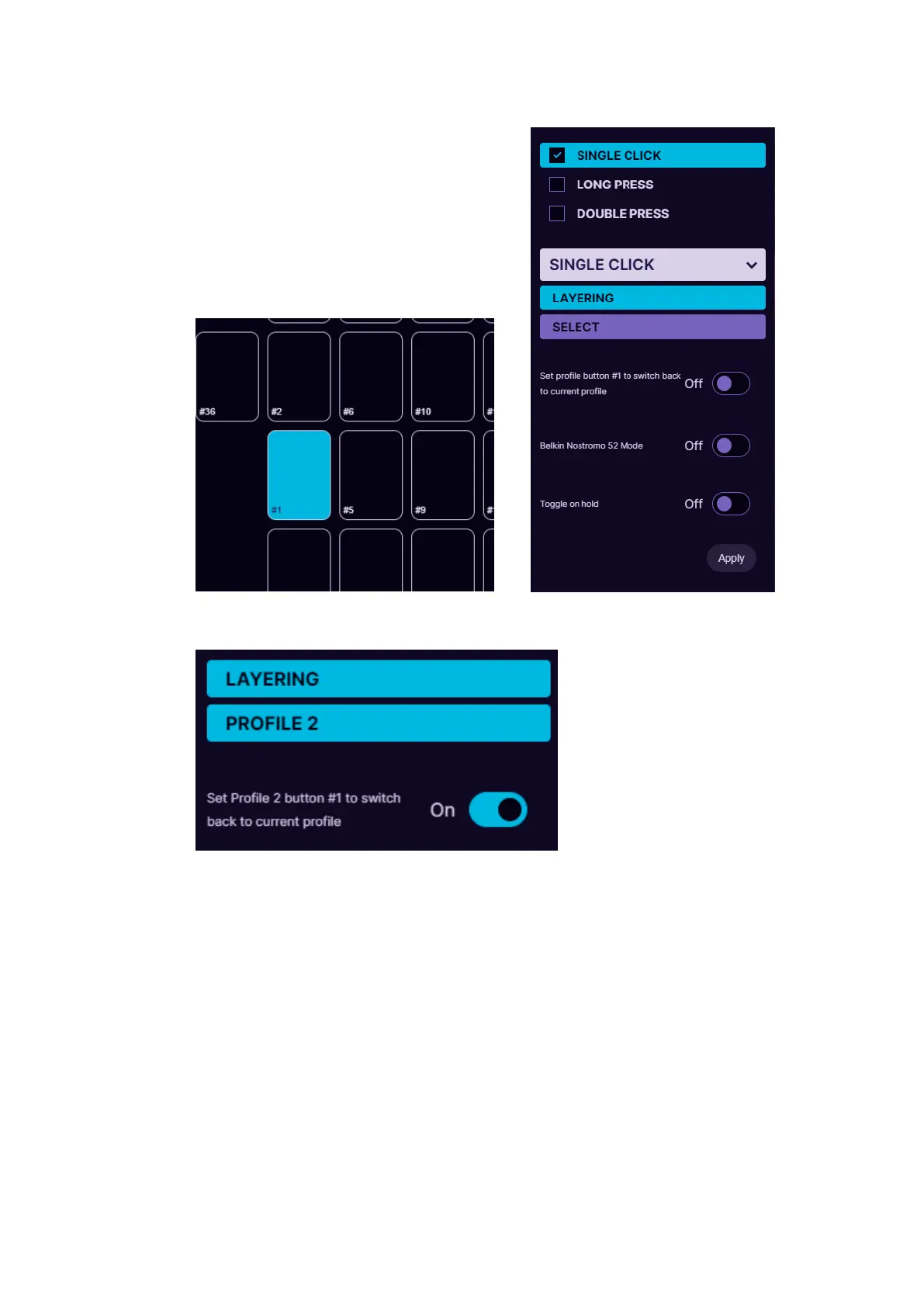
3. Then under Layering Select Layer2, which will act as our 2nd layer
for buttons.
4. Turn ON the option “Set profile button #1 to switch back to
current profile” to be able to switch back to Profile 1 with the
same button.
5. Setup one set of keybinds in Profile 1 and another setup of
keybinds in Profile 2.
5.3.8. Macro
It is possible to setup macros on keypad buttons. When choosing Macro
mode for the button, it is possible to program several keyboard
keypresses, mouse buttons and delays in the sequence you wish. You can
also choose how long is the keypress and delays in milliseconds (avoid



 To Next Page