GettingStarted
PowertheDOCKALLDockingStation:
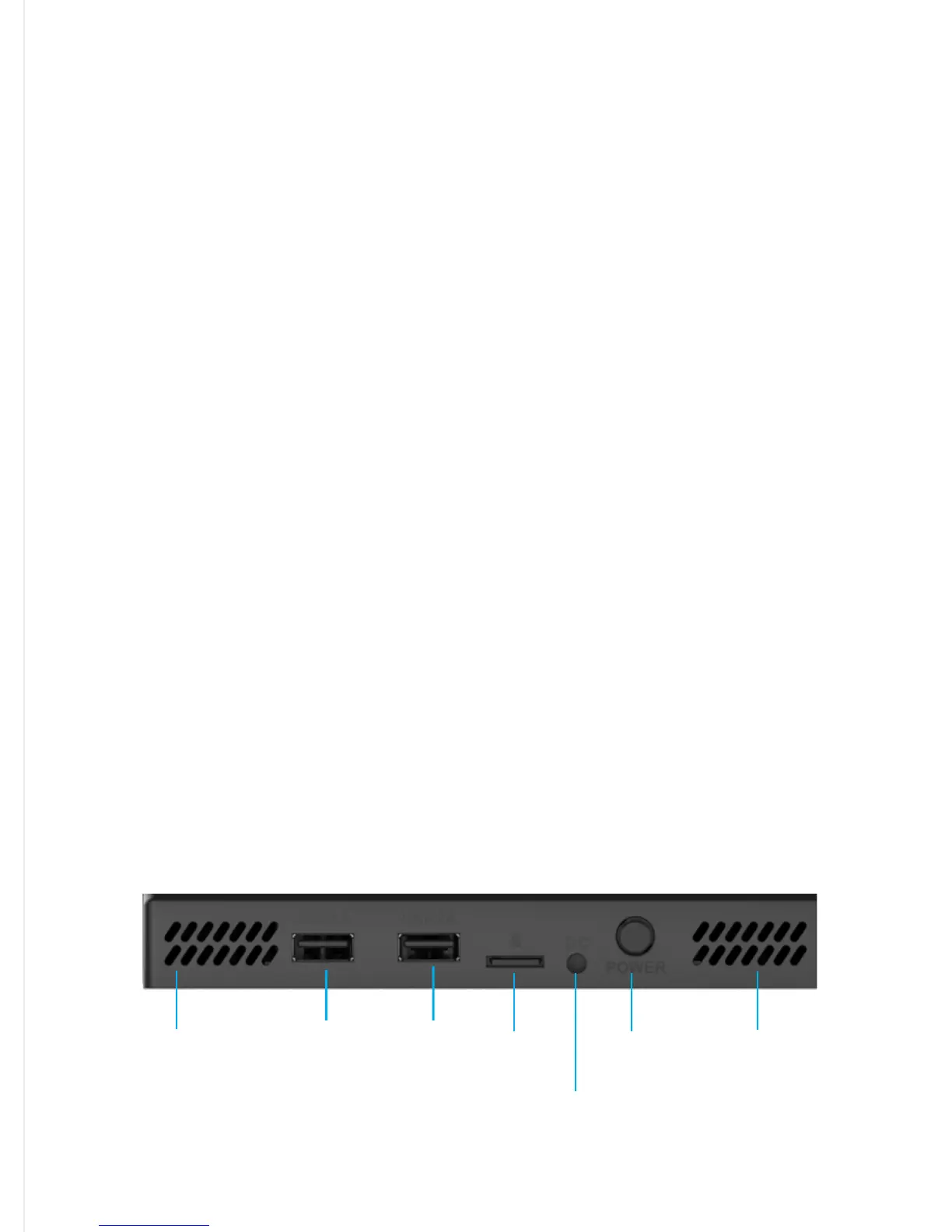
First,plugintheincludedpoweradapterheadintotheDCPowerPortlocatedonthebackofthe
dockingstation.Then,plugthepoweradapterintoawallsocket.Next,turnitonbypressingthe
PowerButtonlocatedonthebackofthedockingstation.Topoweroff,simplypressthePower
Buttonorunplugthepoweradapter.Itisrecommendedtopoweroffthedockingstationwhilenot
inuse.
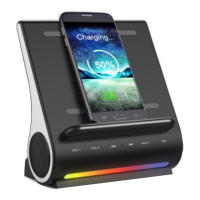
WirelessCharging
UseofthewirelesschargingfeatureisavailableforQicompatibledevicesonly.Reviewtheownerʼs
manualorwebsiteforyourdevicetoinsurecompatibility.TOcharge,simplypositionyour
compatibleQideviceonthedockingstationstanddirectlyovertheQilogotomaximizethewireless
charge.TheLEDLightindicationshouldbeasolidREDwhenQichargingisactive(refertoLED
Lightfunctionsonpage4).Youcanusethedevicewhilebeingchargedbutexpectalongercharge
timeconsideringwirelesschargingisaslowerprocesscomparedtoUSBorwiredcharging.Once
yourdeviceischarged,itisrecommendedtoturnoffthechargingprocessbypressingthe“mode
selectionbutton”(thebuttonthatlookslikeabattery)tilltheREDlightisoff.
3
WiredCharging:
TheDockallhastwoUSBportswhichdifferinpowerforchargingavarietyofdevices.USB1A(1
AMP)isbestforchargingSmartphonesorMp3players,USB2A(2AMP)isbestforcharging
tablets.Eitherportissuitableforchargingadevice;thedifferencewouldbethetimeinwhichto
completethechargewouldvarydependingonthedeviceand/orUSBportused.Towirecharge,
simplyconnectyourUSBcabletoyourdevicetheninserttheotherendtotheappropriateUSB
portlocatedonthebackofthedockingstation.Thenplaceyourdeviceonthedockingstation
standtocompletethechargingprocess.
Micro SD
Card Slot
(Up to 64 GB)
Power
Adapter
port
Power
Button
USB: 1 AMP
5 Volt/1 Amp
Smartphones
USB: 2 AMP
5 Volt/2 Amp
Tablets
Bass Port
Bass Port


 To Next Page
 Loading...