EasyManua.ls Logo

AzureWave AW-NM333 - User Manual

Default Icon
22 pages
Print Icon
To Next Page IconTo Next Page
Loading...
1
T
he
i
n
f
o
r
m
contain
e
d
h
e
r
e
in
is
the
e
x
clus
i
v
e
p
rop
e
rty
of
Az
u
r
e
Wa
v
e
a
n
d
sh
all
not
be
d
i
s
tri
b
uted,
r
e
produc
e
d,
or
di
s
clo
s
e
d
in
whole
or
in
part
without
prior
written
permission
of
AzureWave.
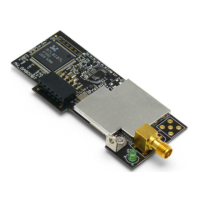
AW-NM333
IEEE 802.11 1X1 b/g/n Wireless LAN Module
Datasheet
Rev. 07
B01
CUSTOMER APPROVED SIGNATURE
AZUREWAVE APPROVED SIGNATURE
Confirm
Approve
Question and Answer IconNeed help?

Do you have a question about the AzureWave AW-NM333 and is the answer not in the manual?

Summary

1. Introduction

1.1 Product Overview

Introduces the AW-NM333 module, its target devices, benefits, and compliance.

1.2 Features

1.2.1 WLAN

Lists key features of the WLAN functionality, including standards, data rates, and interfaces.

1.4 Specifications Table

1.4.1 General

Provides general specifications like product description, chipset, interface, dimensions, and weight.

1.4.2 WLAN

Details WLAN specific parameters like standard, frequency, modulation, channels, and security.

1.4.3 Operating Conditions

2. Pin Definition

2.2 Pin Table

Details the function, voltage, and type for each pin of the module.

3. Electrical Characteristics

3.1 Absolute Maximum Ratings

Specifies the extreme limits for voltage and power supply parameters.

3.2 Recommended Operating Conditions

Outlines the ideal voltage and power supply ranges for normal operation.

3.3 Digital IO Pin DC Characteristics

Details DC voltage characteristics for digital I/O pins in different operating modes.

4. Mechanical Information

4.1 Mechanical Drawing

Shows the physical dimensions and layout of the module with tolerances.

5. Shipping information

5.1 Tray information

Details tray dimensions and quantity per tray for shipping.

5.2 Package Information

Describes packaging components like dry pack bags, desiccant, and rubber bands.

5.3 Carton Labeling and Packing

Describes vacuum packing, carton contents, and the carton label details.

6. Installation guide

Test Configuration and Setup

Details the initial setup and connection for testing the module.

Running Installation Scripts

Provides commands to open the terminal and execute scripts for module installation.

Module Status and IP Configuration

Covers checking module status, scanning AP, joining AP, and configuring IP.

OS Shutdown Procedure

Guides through the process of shutting down the operating system after testing.

Federal Communication Commission Interference Statement

Radiation Exposure Statement

End Product Labeling

Details requirements for labeling the final product with FCC ID.

Manual Information To the End User

Guidelines for OEM integrators regarding end-user manual content.

Industry Canada statement

Summary

1. Introduction

1.1 Product Overview

Introduces the AW-NM333 module, its target devices, benefits, and compliance.

1.2 Features

1.2.1 WLAN

Lists key features of the WLAN functionality, including standards, data rates, and interfaces.

1.4 Specifications Table

1.4.1 General

Provides general specifications like product description, chipset, interface, dimensions, and weight.

1.4.2 WLAN

Details WLAN specific parameters like standard, frequency, modulation, channels, and security.

1.4.3 Operating Conditions

2. Pin Definition

2.2 Pin Table

Details the function, voltage, and type for each pin of the module.

3. Electrical Characteristics

3.1 Absolute Maximum Ratings

Specifies the extreme limits for voltage and power supply parameters.

3.2 Recommended Operating Conditions

Outlines the ideal voltage and power supply ranges for normal operation.

3.3 Digital IO Pin DC Characteristics

Details DC voltage characteristics for digital I/O pins in different operating modes.

4. Mechanical Information

4.1 Mechanical Drawing

Shows the physical dimensions and layout of the module with tolerances.

5. Shipping information

5.1 Tray information

Details tray dimensions and quantity per tray for shipping.

5.2 Package Information

Describes packaging components like dry pack bags, desiccant, and rubber bands.

5.3 Carton Labeling and Packing

Describes vacuum packing, carton contents, and the carton label details.

6. Installation guide

Test Configuration and Setup

Details the initial setup and connection for testing the module.

Running Installation Scripts

Provides commands to open the terminal and execute scripts for module installation.

Module Status and IP Configuration

Covers checking module status, scanning AP, joining AP, and configuring IP.

OS Shutdown Procedure

Guides through the process of shutting down the operating system after testing.

Federal Communication Commission Interference Statement

Radiation Exposure Statement

End Product Labeling

Details requirements for labeling the final product with FCC ID.

Manual Information To the End User

Guidelines for OEM integrators regarding end-user manual content.

Industry Canada statement

AzureWave AW-NM333 Specifications

General IconGeneral
BrandAzureWave
ModelAW-NM333
CategoryControl Unit
LanguageEnglish

Related product manuals