Fan Installation
GDV
1
2
3
4
4
5
6
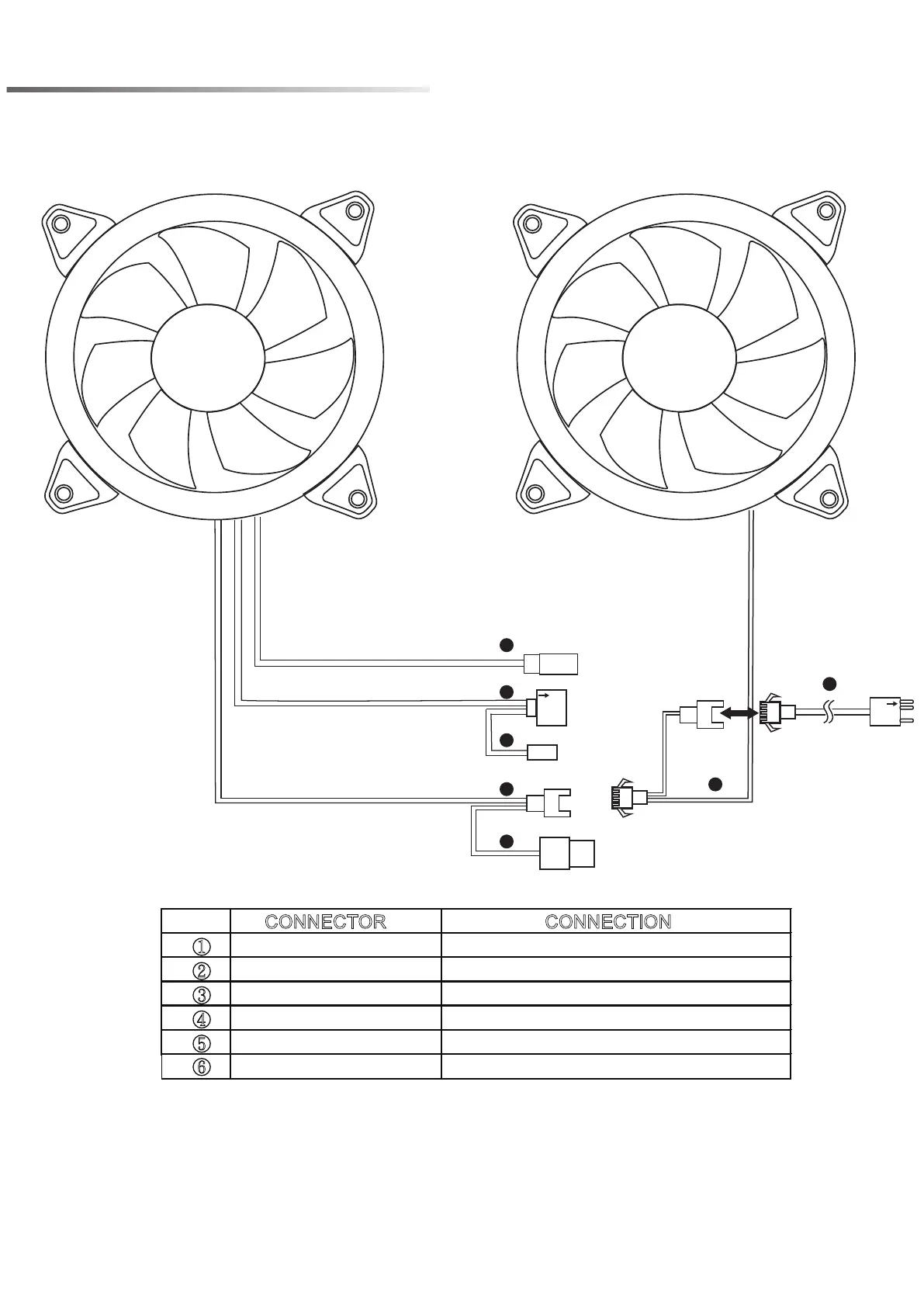
CONNECTOR CONNECTION
①
②
③
④
⑤
⑥
※Press the
LED
button to cycle through different RGB lighting modes, controlled by the
LED
button.
※Hold the
LED
button for 3 seconds to switch the RGB control function between motherboard RGB
software and
LED
button.
Reset S/W (2pin)
ARGB LED 5V (3pin)
ARGB LED 5V (VDG)
Fan Connector
Molex
Sm4p to ARGB(3pin) cable
Motherboard: MSI™, ASUS™ and ASROCK™
Motherboard: Gigabyte™
The master Fan connect to the sub-fan
Power Supply
Other 5V/3pin ARGB devices
LED
Button


 To Previous Page