EasyManua.ls Logo

B. Braun Aesculap Acculan 4 GA320 - User Manual

B. Braun Aesculap Acculan 4 GA320
124 pages
Print Icon
To Next Page IconTo Next Page
Loading...
Aesculap
®
Acculan 4
Aesculap Power Systems
en Instructions for use/Technical description
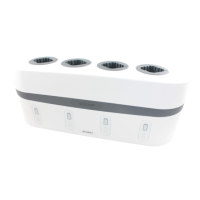
Acculan 4 Charger GA320
de Gebrauchsanweisung/Technische Beschreibung
Acculan 4 Ladegerät GA320
fr Mode d’emploi/Description technique
Chargeur Acculan 4 GA320
es Instrucciones de manejo/Descripción técnica
Cargador Acculan 4 GA320
it Istruzioni per l’uso/Descrizione tecnica
Caricabatterie Acculan 4 GA320
pt Instruções de utilização/Descrição técnica
Carregador Acculan 4 GA320
nl Gebruiksaanwijzing/Technische beschrijving
Acculan 4 laadapparaat GA320
sv Bruksanvisning/Teknisk beskrivning
Acculan 4-laddare GA320
fi yttöohje/Tekninen kuvaus
Acculan 4 -laturi GA320
et Kasutusjuhend/Tehniline kirjeldus
Acculan 4 laadimisseade GA320
ru Инструкция по примению/Техническое описание
Зарядное устройство Acculan 4 GA320
cs Návod k použití/Technický popis
Nabíječka Acculan 4 GA320
pl Instrukcja użytkowania/Opis techniczny
Ładowarka Acculan 4 GA320
sk Návod na použitie/Technický opis
Nabíjačka Acculan 4 GA320
tr Kullanım Kılavuzu/Teknik açiklama
Acculan 4 şarj cihazı GA320

Table of Contents

Questions and Answers

  • J
    Joanne DavisAug 4, 2025
    Why does my B. Braun Aesculap Acculan 4 GA320 Battery Charger battery not charge?
    • L
      Laura GibbsAug 4, 2025
      If your B. Braun Battery Charger isn't charging the battery, consider the following possibilities: * The charger contacts may be dirty. Clean the contacts. * The battery might be defective. Try charging it in another charging bay; if the problem persists, replace the battery. * The charger itself could be defective. If a different battery also fails to charge, replace the charger. * Excessive battery temperature might be the issue. Remove the battery, let it cool, and try charging again. If the issue continues, replace the battery.
  • D
    donna16Aug 10, 2025
    What to do if my B. Braun Aesculap Acculan 4 GA320 Battery Charger is not working?
    • P
      Paul JohnsonAug 10, 2025
      If your B. Braun Battery Charger isn't working, check these potential causes: * Ensure the mains power cord is properly plugged into both the device connector on the charger and the mains power supply socket. If it is not plugged, plug it in. * If the power cord is faulty, replace it. * If the fuses are blown, replace them. * If none of these solutions work, the charger itself may be defective and needs replacement.
  • J
    Jennifer GallagherAug 14, 2025
    What to do if there is a defective indicator on my B. Braun Aesculap Acculan 4 GA320?
    • K
      Kevin CochranAug 14, 2025
      If you observe a defective indicator on your B. Braun Battery Charger, it likely indicates a charger defect, and the suggested solution is to replace the product.
  • A
    Annette BridgesAug 19, 2025
    What to do if B. Braun Battery Charger is not working?
    • A
      Aaron StephensAug 20, 2025
      If your B. Braun Battery Charger isn't working, there are several potential causes: * The mains power cord might not be properly plugged in. Ensure the mains power cord is securely connected to both the device connector on the charger and the mains power supply socket. * The power cable could be defective. If so, replace it. * The fuses might have blown. In this case, replace the fuses. * The charger itself may be defective. If all else fails, replace the product.
  • M
    matthew24Aug 25, 2025
    Why is my B. Braun Aesculap Acculan 4 GA320 not charging the battery?
    • J
      Jasmine DeanAug 26, 2025
      If your B. Braun Battery Charger isn't charging the battery, consider these possibilities: * The charger contacts may be dirty. Clean the contacts. * The battery might be defective. Try repeating the charging process in another charging bay. If the issue persists, replace the battery. * The charger itself could be defective. If the charging process doesn't start even with a different battery, replace the charger. * Excessive battery temperature may have been detected during charging. Remove the battery, let it cool, and restart the charging process. If it happens again, replace the battery.
  • A
    Ashley WoodAug 29, 2025
    What to do if the indicator on B. Braun Aesculap Acculan 4 GA320 is defective?
    • S
      Susan HillAug 29, 2025
      If the indicator on your B. Braun Battery Charger is defective, it suggests that the charger itself is faulty and needs to be replaced.

Summary

1. Applicable to

2. Intended Use

2.1 Task;Function

Details the charger's primary function and compatibility with specific batteries.

2.2 Application Environment

Defines the permissible operating conditions and locations for the charger.

2.3 Set-up location

Specifies requirements for placing the charger for stable and safe operation.

3. Safe Handling

4. Product Description

4.1 Scope of Supply

Lists the items included with the Acculan 4 Charger.

4.2 Components Required for Operation

Identifies necessary external components for using the charger.

4.3 Operating Principle

Explains how the Acculan 4 Charger functions and its power conversion.

5. Preparation

6. Working with the Device

6.1 System Set-up

Guides the connection and initial setup of the charger to the power supply.

6.2 Safe Operation

Details precautions and safe practices during the charger's use.

7. Validated Reprocessing Procedure

7.1 General Safety Notes

Emphasizes adherence to regulations for reprocessing procedures.

7.2 General Information

Outlines considerations for processing chemicals and potential material issues.

7.3 Preparation Before Cleaning

Steps to take before commencing cleaning and disinfection.

7.4 Cleaning;Disinfection

Instructions and safety warnings for cleaning and disinfecting the device.

7.5 Wipe Disinfection for Electrical Devices Without Sterilization

Detailed procedure for disinfecting using wipes.

7.6 Inspection, Maintenance and Checks

Procedures for inspecting and checking the product post-cleaning.

8. Maintenance

9. Troubleshooting List

10. Replacing Fuses

11. Technical Service

12. Accessories;Spare Parts

13. Technical Data

13.1 Performance Data, Information About Standards

Details technical specifications and compliance standards for the charger.

13.2 Ambient Conditions

Specifies temperature, humidity, and pressure ranges for operation and transport.

14. Disposal

15. Distributor in the US;Contact in Canada for Product Information and Complaints

B. Braun Aesculap Acculan 4 GA320 Specifications

General IconGeneral
Input Voltage100-240 V AC
Input Frequency50/60 Hz
Output Voltage12 V DC
Output Current1.5 A
Operating Temperature10°C to 40°C
Compatible Battery TypesLi-ion
Weight300 g

Related product manuals