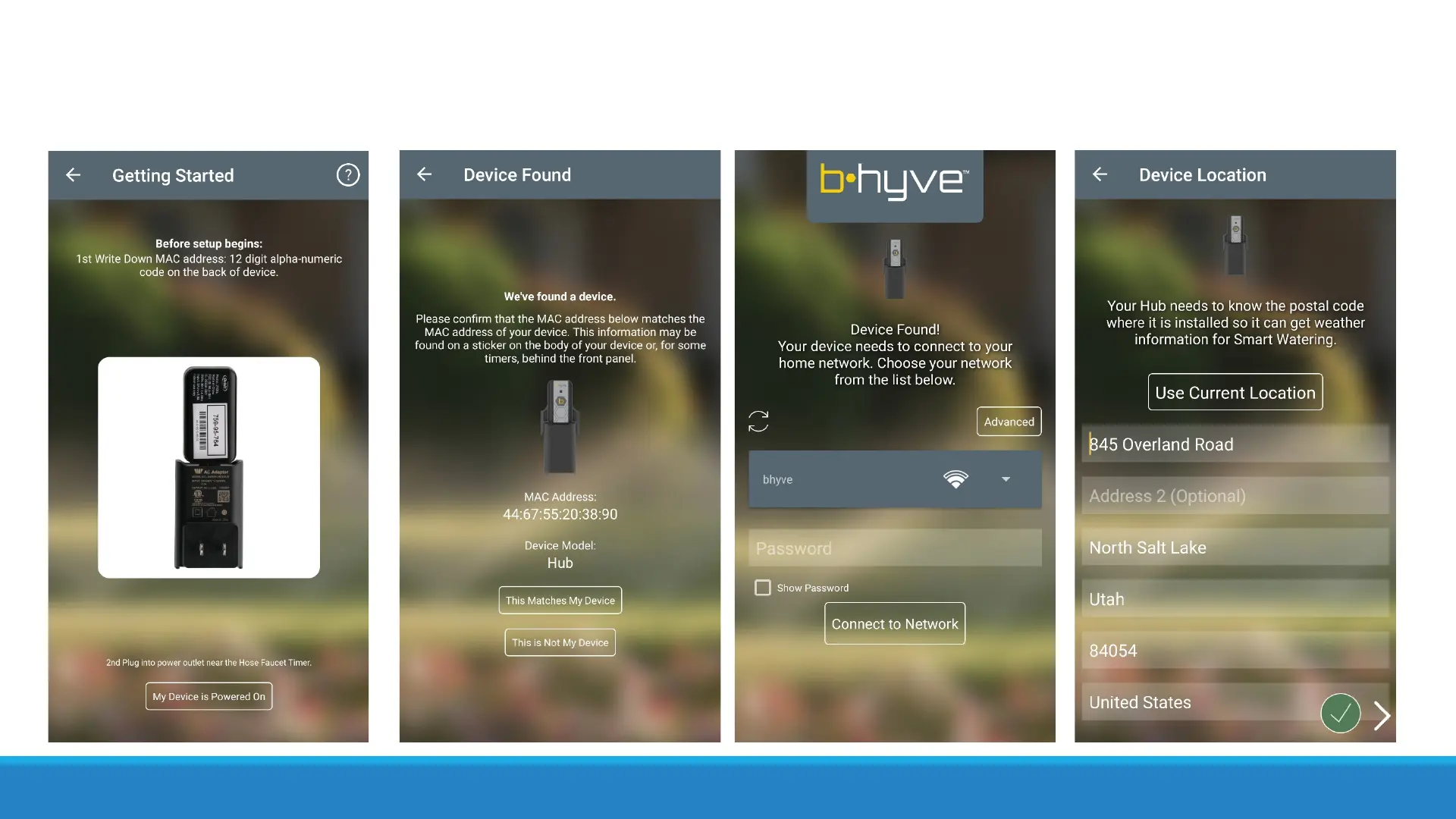
You will then begin to pair the hub. It is recommended to write down the MAC ID of the hub
before plugging the unit in so that you can confirm you are pairing the correct device. Note: The
MAC ID is the smaller set of numbers, not the larger number. Select your Wi-Fi Network, input
the password, and then input your location. Name the Hub and your hub is paired!


 To Next Page