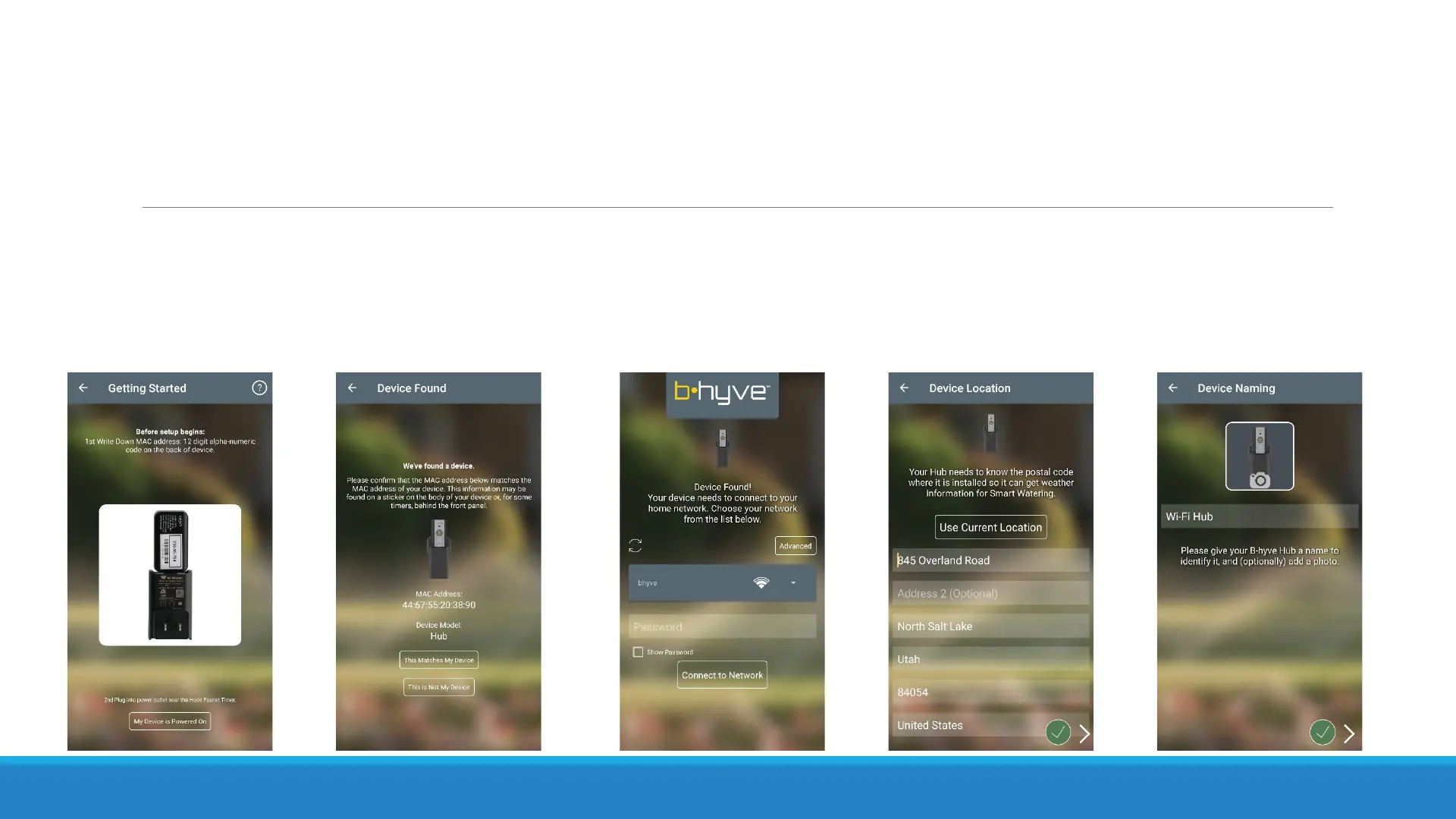
Single Device Pairing – BH1
If you select to pair just a BH1, you won’t be able to use the app unless you have another B-hyve
device already attached. Once you have the BH1 paired, you will need to add another device. If
you already have another timer attached to your account, you will see your BH1 on the list of
devices. All the BH1 does is give Wi-Fi to your non Wi-Fi devices.


 To Next Page