7
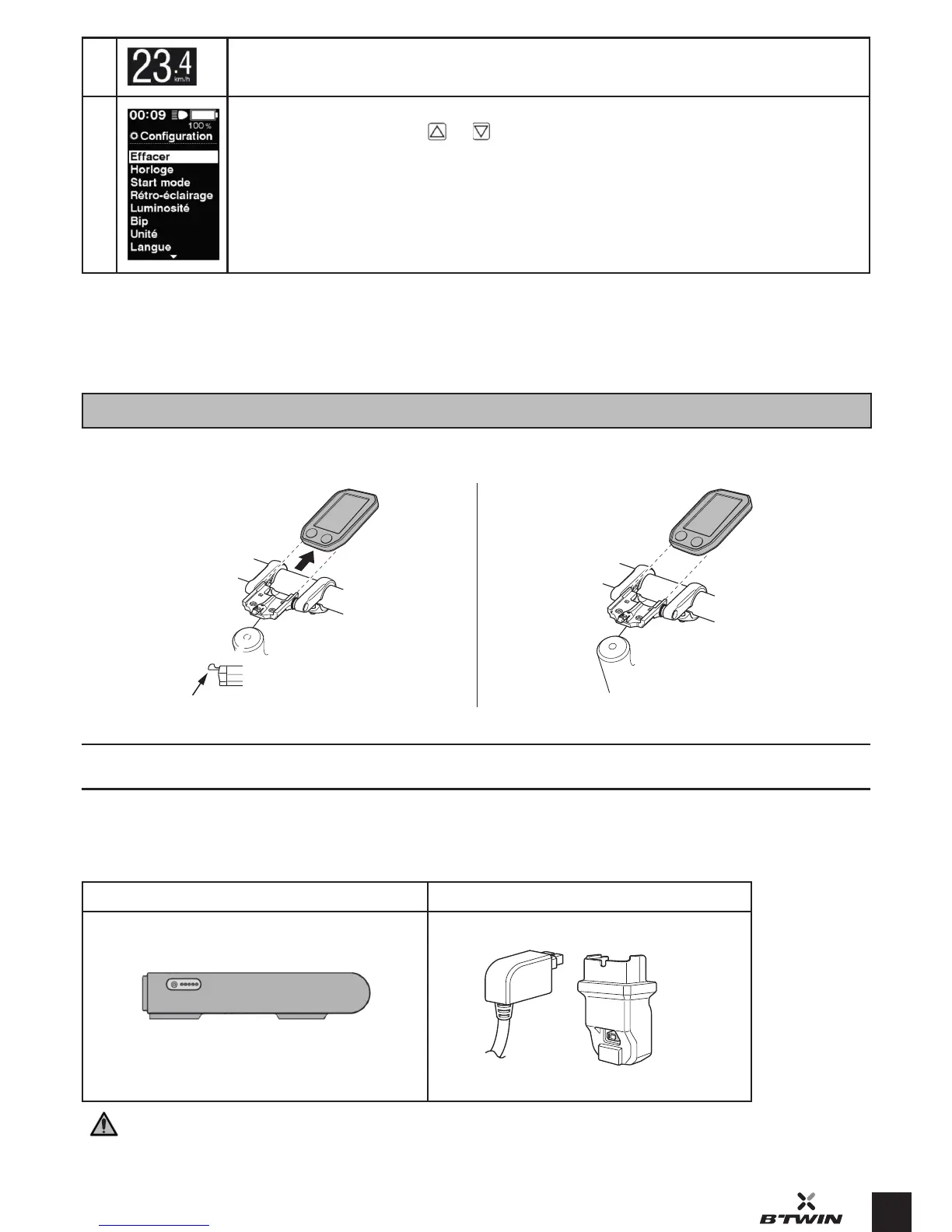
Setting up and removing the control screen
The control screen may be removed from its mount.
Removal: Press rmly on the lever of the mounting bracket while sliding the
screen out.
Inallation: Slide the screen onto the mounting bracket until you hear a
«click»
BATTERY AND CHARGER
All our electric bike batteries use lithium-ion technology and are not subject to the memory eect. Recharging the battery after each use is recommended.
Charge the battery to 100% prior to its r use.
Battery Charger
Battery 36 V / 11,6 Ah *
Your battery is guaranteed for 2 years
Input: 100-240 V Output: 29.4 V
Charger plug
Adapter
* Your 36V battery is inactive at the moment of purchase. Plug in your charger to activate it.
9 Speed indicator
Settings menu:
opened by simultaneously holding the and buttons down for a few seconds. This menu is used to set the following:
- Time
- Default power assiance mode when arting
- Backlighting
- Brightness of the screen
- Control button clicks
- Unit
- Language
- Font colour
* Under te conditions as dened in a teing protocol, for a 75 kg user, with a tyre pressure of 4 bar and in compliance with the 10 be practices
(see page 3).


 To Next Page