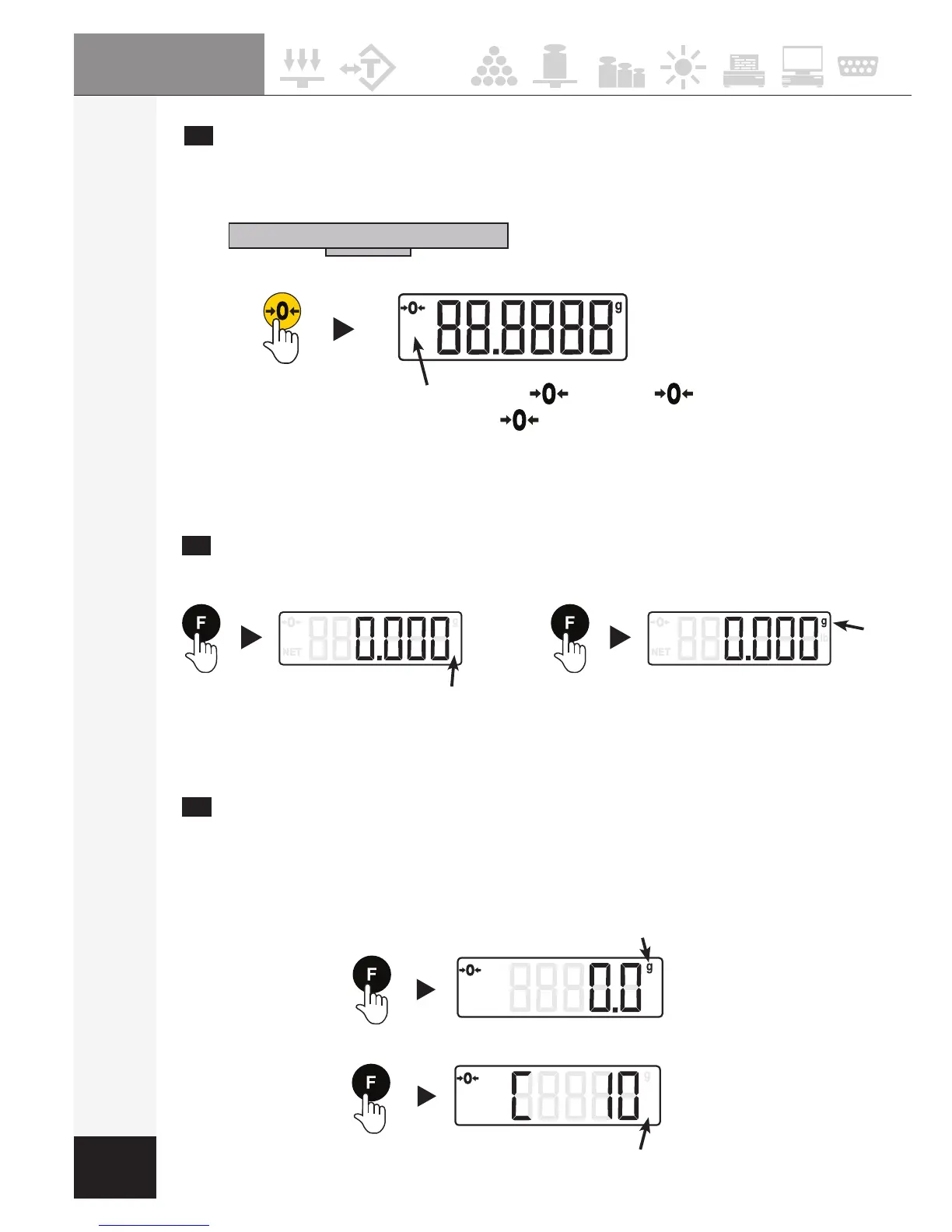
Restéppuyerjusqu'àcequel'unitéchange
Keep pressing key until "g" swap to "lb"
Houdt u toets tot " g" swap op "lb"
Para seleccionar la unidad de pesada deseada (2s.)
Pourrevenirau"g",appuyerjusqu'àcequel'unitéchange
To return to "g", keep pressing key until "lb" swap to "g"
Om terug te keren naar "g", Houdt u toets tot " lb" swap op "g"
Para seleccionar la unidad de pesada deseada (2s.)
7
SÉLECTION DU MODE PESAGE ou COMPTAGE
SELECT WEIGHING OR COUNTING FUNCTIONS
WEGEN OF TELLEN - PESAJE O CONTEO
pcs
Le symbole
g
s'afche-
g
symbol displayed
Het symbool
g
wordt weergegeven
-
Se muestra el símbolo
g
Le symbole
pcs
s'afche -
pcs
symbol displayed
Het symbool
pcs
wordt weergegeven - Se muestra el símbolo
pcs
5
MISE A ZÉRO DE L´ÉCRAN - ZERO FUNCTION
SCHERM OP NUL ZETTEN - PUESTA CERO DEL DISPLAY
Plateau déchargé - Empty pan
Plateau / Pan / Platform / Platillo
En cas d'écart
If the zero shifts
Le symbole
s'afche-
symbol displayed
Opdat de indicator
zo aanwijzen
- L
a lectura y poner el display a cero.
NOTE
Ne pas utiliser cette touche pour tarer - Do not used this key to tare
Gebruik deze sleutel niet gebruiken om tarra - No utilice esta tecla para tarar.


 To Next Page