8
the blue indicator stops blinking
and lights up continuously.
Regular charging
• A full charge will take 90 minutes
and will supply enough power for
minimum 60 minutes continuous
cordless use.
• When the battery is almost empty,
the blue LED charging indicator
starts to blink, informing you that
you will soon need to charge the
appliance.
• In order to maintain the optimum
capacity of the rechargeable
batteries, the appliance should
be recharged for 3 hours every 3
months approximately.
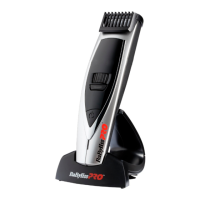
• The FX775E comes with a quick
charge feature. A 5 minute charge
will provide enough power for
approximately 3 minutes use.
• Charging takes approx. 90
minutes.
Preparation for Use
Always inspect the FX775E before
use to ensure the cutting head is
free from hair and debris and is
running smoothly.
Operation
To switch the FX775E on, press the
I/O button, the blades should start
to move and the selected length
LED will illuminate. The lock and
unlock LED indicator lights up in
blue continuously and shows lock/
unlock status of the length control
wheel. To turn the appliance o,
press the I/O button and the motor
should stop while all LED’s will turn
o after 5 seconds.
Using the length control wheel
• Ensure the comb guide is correctly
positioned by pushing the comb
guide gently downwards to
secure into place.
• Use the dial control wheel to
scroll ‘‘left’’ or ‘‘right’’ to adjust
the comb guide to the required
length.
• The cutting lengths are displayed
on the LED screen in ‘‘mm’’ –
scroll through the available
length settings with the dial
control wheel. 15 length settings
available: 1mm - 15mm in 1mm
increments.
• Select your required length – the
length setting will then remain
illuminated.
• Once you have selected the
desired cutting length, lock the
length in place for a guaranteed
even cut (see Using the length-
lock system section).
• Press the power button to switch
the FX775E on.
• If you try to adjust the dial control
wheel after the length-lock has
been activated, the lock LED will
start to ash for 10 seconds until
you unlock the dial control wheel.
Using the length-lock system
The length-lock system ensures
the comb guide does not slip
in use and securely maintains
your chosen length setting to
guarantee an even cut.
• Once you have chosen your
desired length you can activate
the length-lock system located
under the length control wheel.


 To Next Page