4
Note:
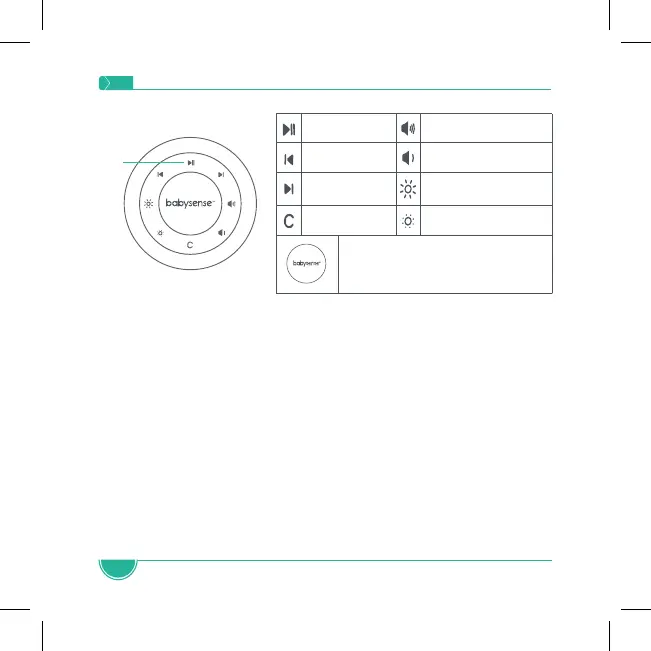
• Brightness Control – Press the Brightness Up or Brightness
Down button to increase or decrease the brightness of the
light. When the main light is off, pressing these buttons will
increase or decrease the brightness level of the clock and/or
temperature display.
• Color Control – Press the C button to cycle through the
colors: you can select a solid color or the rainbow options
where the colors automatically switch every 5 seconds. Long
press to switch the light off.
Play/Pause Volume Up
Previous Sound Volume Down
Next Sound Brightness Up
Color Change Brightness Down
Long press to activate Standby
Mode & short press to reactivate and
change between favorite ambiances
Touch
Buttons


 To Next Page