6
Note: When turning the device on for the first time the
following will occur:
The backlights on the top panel will light up.
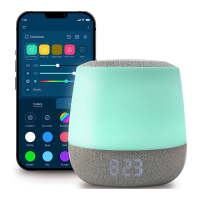
The Babysense Dreamer's body will illuminate in white
The letter P will appear on the clock/temperature display
and will blink for 3 minutes indicating the device is in pairing
mode. If no P appears or to reactivate pairing mode press
and hold both
and buttons together for 5 seconds.
3. Tips for Usage
• Charge Dreamer until the charging indicator changes from
red to green.
• When the battery is low and needs to be recharged, LO will
be seen on the display.
• The clock can be displayed in either 12hr or 24hr or you can
select to switch the time display off, through the app.
• The temperature can be displayed in either Fahrenheit or
Celsius or you can select to switch the temperature display
off, through the app.
1.
2.
3.


 To Next Page