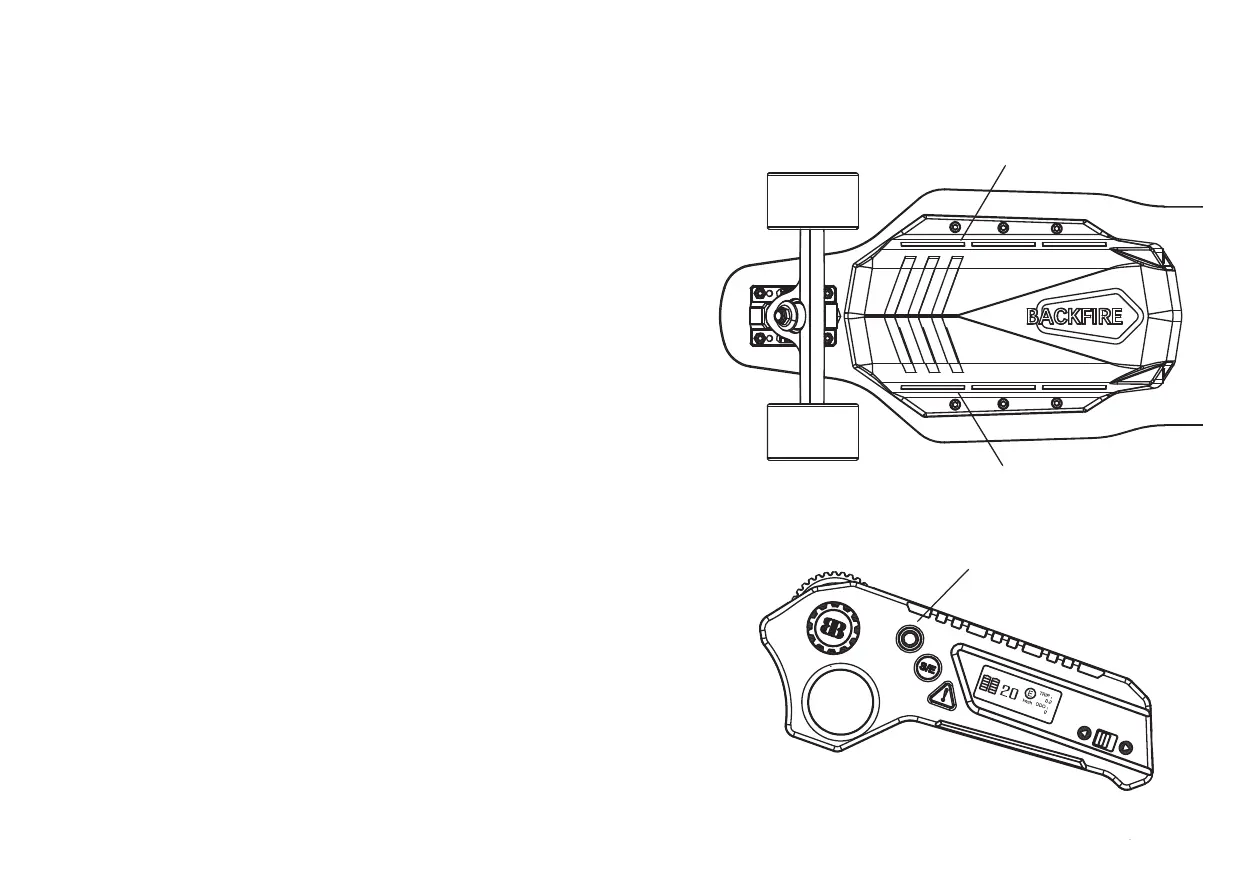
1. First, turn on the board and remote control.
2. Quickly double-click the power button on the
remote control to turn on the ambient light, which
will start slow flashing.
3. In E/S mode, the ambient light will keep slow flash-
ing.
4. After pressing the turbo button and entering the
Turbo mode, the ambient light will change to fast flashing.
5. You can also skip step 2 and 3 and enter the Turbo
mode directly. The ambient light will turn on auto-matically.
6. In E/S mode, double-click the power button on the
remote control again to turn off the ambient light.
Note:
After the remote control is turned off, the ambient
light will automatically turn off after 5S.
POWER ON/OFF THE AMBIENT LIGHT
Power Button
Ambient light
Ambient light
Note : In Turbo mode, it cannot be turned off. You
need to downshift to S/E mode and then turn it off.


 To Next Page