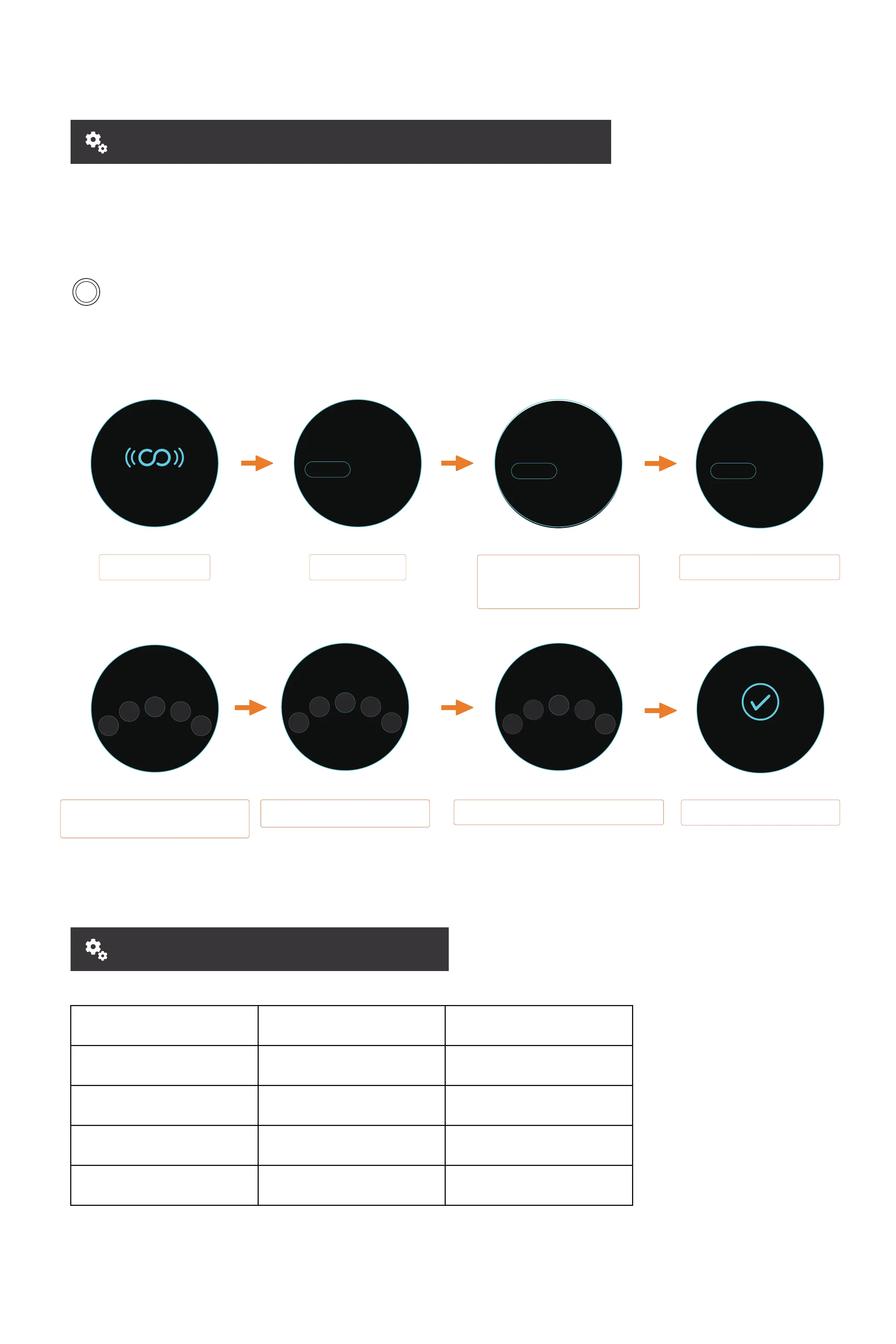
PAIRING THE REMOTE TO THE BOARD
Hold the Power Button for 3 seconds to power ON/OFF the board.
When both the remote and board are in the OFF state, hold the Power Button on both the
board and remote at the same time for 3 seconds to pair.
DIY WHEEL SETUP SHEET
*The remote control and the skateboard are facto paired.
This step should not be required unless advised by technical suppo sta.
Auto-Pairing
Select 2WD
Wheel Size
96mm
105mm
Cloud wheel
120mm Cloud wheel
120mm PU wheel
2.6
2.6
2.8
3.1
7
7
7
7
Gear Ratio Pole Pairs
Select between KM and MILES using
the Throttle Wheel, and press the
Power Button on the remote
to conrm your choice.
Select the drivetrain setup on your
board using the throttle wheel.
Select the wheel size of your board using
the throttle wheel.
[Between 90MM-200MM]
Select the gear ratio of your
drivetrain using the throttle wheel.
Select the number of Pole Pairs for your board's
motor conguration. [Between 2-26]
Pairing and conguration complete.
Searching
4WD
Drive Mode
2WD
KMMILES
Unit Selection
BELT
Motor Type
HUB
Motor Poles
7
9
86
5
Complete
Wheel Size
97
99
98
96
95
2.6
2.8
2.7
2.5
2.4
Gear Ratio



 To Next Page