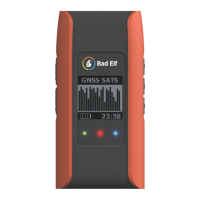
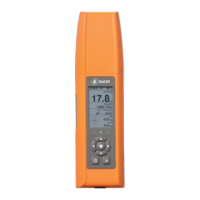
Status information (LCD & LEDs)
The LCD display is the primary user interface of the Flex accessory
The LEDs are used to display information at-a-glance. Their function changes depending on
what mode you are in. The LCD screen will usually have a label or key that indicates what each
LED represents.
By default, the LEDs are configured to show the following status information:
User configurable.
Default: shows GNSS navigation status
User configurable.
Default: shows Bluetooth connection status
The power status LED is used to indicate the battery, charging, and operating status.
Connecting your mobile device via Bluetooth
The following steps will help you connect your mobile phone or tablet to the Flex receiver via
Bluetooth.
Start by making sure you Flex is turned on, and within range of your phone or tablet. Then
follow the instructions below:
For iPhone and iPad devices running iOS
● On your iOS Device, open the Settings app and navigate to the Bluetooth screen.
● If needed, turn Bluetooth on.


 To Next Page