1
2
Features
Function Buttons
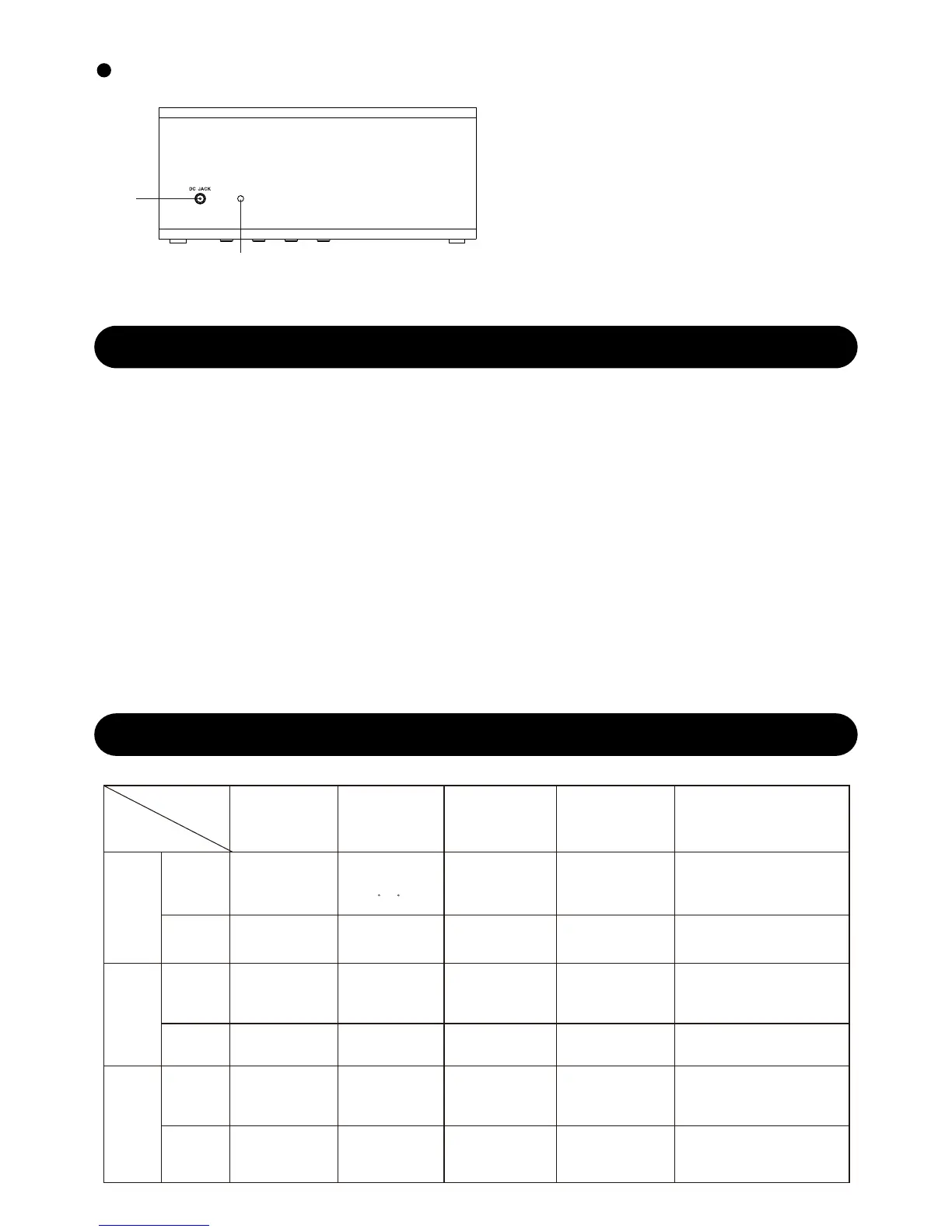
Back view
1. DC hole
2. Temperature sensor
FUNCTION
SET
Switch from
d1/d2 time
display mode
Enter into time
setting
Go next
Go next
Quickly select
setting process
Increase 1
step
Increase 1
step
Increase 1
step
Increase 8
steps/second
Decrease 8
steps/second
Increase 1
step
Decrease 8
steps/second
Increase 8
steps/second
Save and exit
setting
_ _
_ _
Switch
temperature
from C/ F
UP DOWN
Turn on/off
key tone
ALARM
Turn on/off all
alarms
Enter into alarm
setting
Turn on/off LED display
Turn on/off LED display
Turn on/off LED display
3 level LED
brightness
adjustment
3 level LED
brightness
adjustment
3 level LED
brightness
adjustment
Snooze/Dimmer
OPERATION
TIME
DISPLAY
MODE
TIME
SETTING
ALARM
SETTING
PRESS
HOLD
PRESS
HOLD
PRESS
HOLD
Page4
● 4 main function keys: TIME/UP/DOWN/ALARM; Snooze/Dimmer touch key (on top);
besides, there is a hidden RESET key.
● Perpetual calendar from 2000-2049, big LED display for time/date
● Temperature range: 0.0℃-- 50.0℃, resolution: 0.1℃, Detection Interval: 30s
● Temperature displays with ℃/℉ selectable
● 12/24 hours selectable
● 2 display modes switching from time/date display
● Touch button on top offers 3 levels display brightness and display turn off function
● Alarm clock & snooze function: By touching top button to activate snooze function
● Up to 3 groups of alarm, and (Mon-Fri)/ (Mon-Sun) selectable
● Time memory function by built-in battery.
_ _ _ _
_ _
_ _



 To Next Page