15
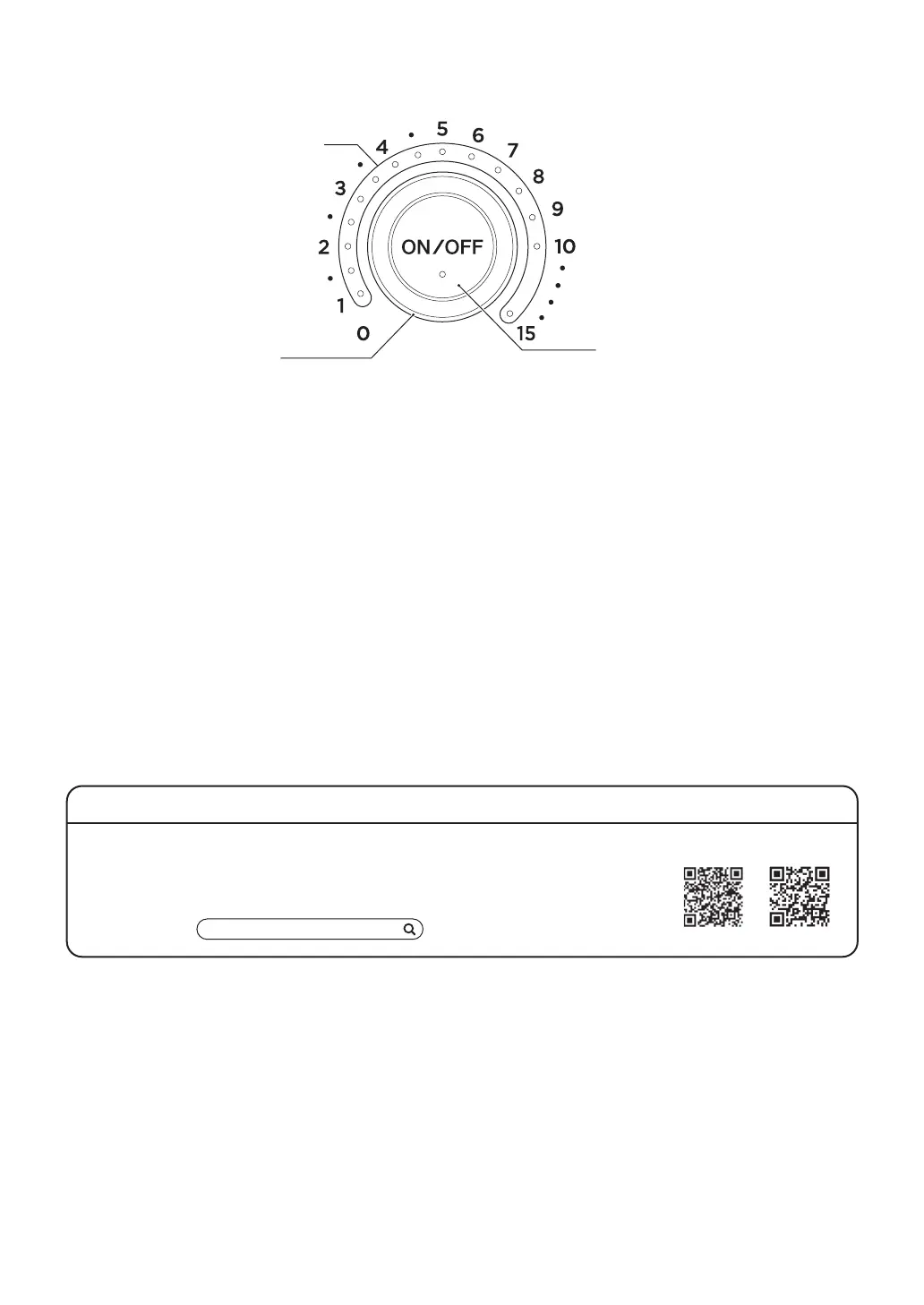
Timer dial and power ON/OFF button
Timer dial
Power ON/OFF button
Timer indicator
■
Timer dial
Dial for setting the cooking time.
• The cooking time can be selected from the following:
1, 1.5, 2, 2.5, 3, 3.5, 4, 4.5, 5, 6, 7, 8, 9, 10, or 15 minutes
• When the cooking time is set, the timer indicator lights up in orange and you hear a “bi-bing” sound.
• The remaining time is displayed as the timer indicator blinks.
■
Power ON/OFF button
Use this button to turn “ON/OFF” the power of the main unit.
• The power is “OFF” immediately after the power plug is inserted into the household outlet. Pressing
the power ON/OFF button switches “ON” the power. When the power is “ON”, pressing the power
ON/OFF button switches “OFF” the power.
• When the power is turned “ON”, the timer indicator lights up and you hear a “bing” sound.
• When the power is turned “OFF”, the timer indicator is turned OFF and you hear a “bing” sound.
• When the power is “ON”, the power is automatically turned “OFF” if no operation is performed for 30
seconds.
• When cooking is completed, the power is automatically turned “OFF”.
Original recipes are available
From toast every morning to something special on weekends.
BALMUDA’s kitchen team and other professionals introduce their recipes.
• Guide Book (separate)
• Website
SINGAPORE MALAYSIA
BALMUDA recipe


 To Next Page