EasyManua.ls Logo

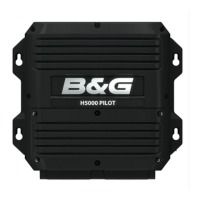
B&G H5000 Pilot - User Manual

B&G H5000 Pilot
18 pages
Print Icon
To Next Page IconTo Next Page
Loading...
H5000PilotAdvancedUser(IMOCArev) 1
H5000Pilot:Adv ancedUserInf ormation
About
Thisdocumentprovidesfurtherinformationoncoresetupfeaturesandalsointroducesdetailed
descriptionsanduseadvisoriesforthefeaturesfoundunderAdvancedModewhichincludethe
PerformanceSailing(PS)algorithmandExpertSystems.
IMOCA60advisoriesareincludedforVendeeGlobe2016teams.
Thisdocumentshouldbeusedalongsidethe
standardOperationandInstallationmanualsfor
advancedusersonly.NotethatsomefeaturesareonlyavailableifAdvancedmodeisenabledonthe
H5000PilotKeypad(Setup>Local>AdvancedMode).
Functions
Theitemscoveredbythisdocumentare:
RudderGain............................................................................................................................................2
CruisingSpeed.........................................................................................................................................3
SpeedSource..........................................................................................................................................4
AutoTrim.................................................................................................................................................5
Adapt.......................................................................................................................................................6
TackTime................................................................................................................................................7
WindMode(ApporTrue).......................................................................................................................8
ResponseLevel........................................................................................................................................9
AutoResponse......................................................................................................................................10
RecoveryMode...............................................................................................................................
......11
HeelCompensation...............................................................................................................................12
GustResponse......................................................................................................................................13
TWSResponse.......................................................................................................................................14
TWAResponse......................................................................................................................................15
APPENDIXA:H5000Pilot‐MenuStructure.........................................................................................16
APPENDIXB:H5000PilotSpeedselectionsequence.........................................................................18
Question and Answer IconNeed help?

Do you have a question about the B&G H5000 Pilot and is the answer not in the manual?

Summary

Rudder Gain

Rudder Gain Functionality

Controls rudder application based on course error, affecting steering sensitivity.

IMOCA 60 Advisory

Recommends Rudder Gain settings between 0.65-0.80 for IMOCA 60.

Cruising Speed

Cruising Speed Functionality

Sets pilot parameters and acts as failsafe speed input, influencing rudder response.

IMOCA 60 Advisory

Suggests around 12 knots as the optimal Cruising Speed for IMOCA 60.

Speed Source

Speed Source Selection

Allows choosing between automatic or manual boat speed inputs.

Speed Estimation Impact

Under-estimating speed causes over-steer; over-estimating causes under-steer.

AutoTrim

AutoTrim Functionality

Corrects course errors by learning and adjusting rudder offset dynamically.

IMOCA 60 Advisory

Recommends a 60-second setting for AutoTrim.

Adapt

Adapt Functionality

Learns steering variables for performance, saving values periodically.

IMOCA 60 Advisory

Recommends enabling the Adapt feature for IMOCA 60.

Tack Time

Tack Time Control

Manages the speed of Tack and Gybe manoeuvres by adjusting rudder control.

IMOCA 60 Advisory

Suggests 5-10 seconds as a starting point for Tack Time.

Wind Mode (App or True)

Wind Mode Selection

Allows selection between Apparent (AWA) and True (TWA) wind angles for steering.

IMOCA 60 Advisory

Advises using AWA upwind and TWA downwind, re-engaging pilot for wind angle changes.

Response Level

Response Level Functionality

Balances course keeping performance against power consumption.

IMOCA 60 Advisory

Recommends adjusting response based on conditions; Perf 3 is versatile.

Auto Response

Auto Response Functionality

Increases pilot response level to improve course keeping during challenging conditions.

IMOCA 60 Advisory

Recommends 'Normal' setting for Auto Response on IMOCA 60 due to sensitivity.

Recovery Mode

Recovery Mode Functionality

Quickly returns the boat to course after off-course events like wave impacts.

IMOCA 60 Advisory

Recommends the 'Medium' setting for Recovery Mode.

Heel Compensation

Heel Compensation Functionality

Applies pre-emptive rudder corrections based on heel angle changes before course error.

IMOCA 60 Advisory

Suggests setting Response Rate to 1 for Heel Compensation.

Gust Response

Gust Response Functionality

Reacts to wind speed changes, applying a temporary bear-away.

IMOCA 60 Advisory

Recommends Gust Limit = 5kt and Response Rate 3-5, using TWS Response too.

TWS Response

TWS Response Functionality

Bears away to a lower target angle when True Wind Speed (TWS) increases.

IMOCA 60 Advisory

Recommends enabling TWS Response with a Response Rate between 3 and 5.

TWA Response

TWA Response Functionality

Adjusts Gust bear away effect variation between reaching and downwind angles.

IMOCA 60 Advisory

Recommends leaving TWA Response setting at or near the default of 1.5.

APPENDIX A: H5000 Pilot - Menu Structure

Response, Wind Mode, Gust, TWS, Tack, Heel, Auto, Recovery Settings

Details menu options for various steering and response functions.

Steering, Limits, and Speed Source Settings

Outlines parameters for steering, limits, and speed source selection.

Installation and Commissioning Settings

Covers installation parameters, dockside, and sea trial configurations.

Setup, Display, and Language Settings

Encompasses display, alarm, language, and local setup options.

APPENDIX B: H5000 Pilot - Speed selection sequence

Speed Source Logic Flow

Visual representation of how the pilot selects boat speed from various inputs.

Manual Speed Input Path

Highlights the manual speed input option within the selection sequence.

Summary

Rudder Gain

Rudder Gain Functionality

Controls rudder application based on course error, affecting steering sensitivity.

IMOCA 60 Advisory

Recommends Rudder Gain settings between 0.65-0.80 for IMOCA 60.

Cruising Speed

Cruising Speed Functionality

Sets pilot parameters and acts as failsafe speed input, influencing rudder response.

IMOCA 60 Advisory

Suggests around 12 knots as the optimal Cruising Speed for IMOCA 60.

Speed Source

Speed Source Selection

Allows choosing between automatic or manual boat speed inputs.

Speed Estimation Impact

Under-estimating speed causes over-steer; over-estimating causes under-steer.

AutoTrim

AutoTrim Functionality

Corrects course errors by learning and adjusting rudder offset dynamically.

IMOCA 60 Advisory

Recommends a 60-second setting for AutoTrim.

Adapt

Adapt Functionality

Learns steering variables for performance, saving values periodically.

IMOCA 60 Advisory

Recommends enabling the Adapt feature for IMOCA 60.

Tack Time

Tack Time Control

Manages the speed of Tack and Gybe manoeuvres by adjusting rudder control.

IMOCA 60 Advisory

Suggests 5-10 seconds as a starting point for Tack Time.

Wind Mode (App or True)

Wind Mode Selection

Allows selection between Apparent (AWA) and True (TWA) wind angles for steering.

IMOCA 60 Advisory

Advises using AWA upwind and TWA downwind, re-engaging pilot for wind angle changes.

Response Level

Response Level Functionality

Balances course keeping performance against power consumption.

IMOCA 60 Advisory

Recommends adjusting response based on conditions; Perf 3 is versatile.

Auto Response

Auto Response Functionality

Increases pilot response level to improve course keeping during challenging conditions.

IMOCA 60 Advisory

Recommends 'Normal' setting for Auto Response on IMOCA 60 due to sensitivity.

Recovery Mode

Recovery Mode Functionality

Quickly returns the boat to course after off-course events like wave impacts.

IMOCA 60 Advisory

Recommends the 'Medium' setting for Recovery Mode.

Heel Compensation

Heel Compensation Functionality

Applies pre-emptive rudder corrections based on heel angle changes before course error.

IMOCA 60 Advisory

Suggests setting Response Rate to 1 for Heel Compensation.

Gust Response

Gust Response Functionality

Reacts to wind speed changes, applying a temporary bear-away.

IMOCA 60 Advisory

Recommends Gust Limit = 5kt and Response Rate 3-5, using TWS Response too.

TWS Response

TWS Response Functionality

Bears away to a lower target angle when True Wind Speed (TWS) increases.

IMOCA 60 Advisory

Recommends enabling TWS Response with a Response Rate between 3 and 5.

TWA Response

TWA Response Functionality

Adjusts Gust bear away effect variation between reaching and downwind angles.

IMOCA 60 Advisory

Recommends leaving TWA Response setting at or near the default of 1.5.

APPENDIX A: H5000 Pilot - Menu Structure

Response, Wind Mode, Gust, TWS, Tack, Heel, Auto, Recovery Settings

Details menu options for various steering and response functions.

Steering, Limits, and Speed Source Settings

Outlines parameters for steering, limits, and speed source selection.

Installation and Commissioning Settings

Covers installation parameters, dockside, and sea trial configurations.

Setup, Display, and Language Settings

Encompasses display, alarm, language, and local setup options.

APPENDIX B: H5000 Pilot - Speed selection sequence

Speed Source Logic Flow

Visual representation of how the pilot selects boat speed from various inputs.

Manual Speed Input Path

Highlights the manual speed input option within the selection sequence.

B&G H5000 Pilot Specifications

General IconGeneral
DisplayNot applicable (part of a system, typically uses a networked display)
TouchscreenNo
AntennaExternal
Power Supply12V DC
Compatible NetworksNMEA 2000, Ethernet

Related product manuals