6
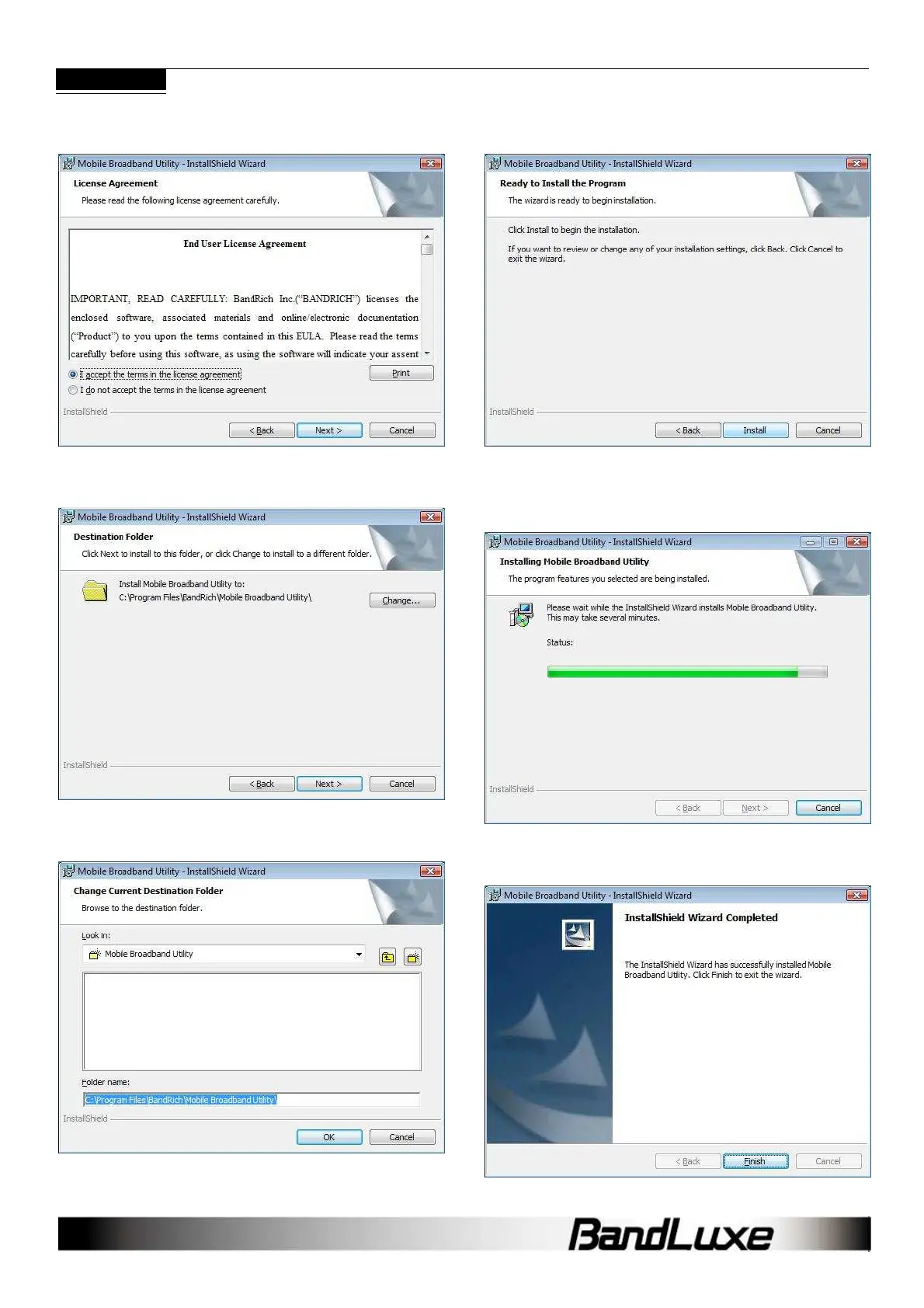
License Agreement
Click I accept the terms in the license agreement > Next to
continue.
Select Installation Folder
Click Change to manually select a folder.
Change Current Destination Folder
Highlight the folder and click OK to select it. Click Cancel to close the
Browse window.
Confirm Installation
Click Back to change any preceding information or settings. Click
Install to begin installation.
Installation
Installation time will depend on variable computer.
Installation Complete
When installation is completed, click Finish to exit. The Connection
Manager will open automatically



 To Next Page