Software • B&R Automation Device Interface (ADI) Development Kit
Chapter 4
Software
Panel PC 800 User's Manual V1.30 261
12 B&R Automation Device Interface (ADI) Development Kit
This software can be used to access B&R Automation Device Interface (ADI) functions directly from Windows
applications created in one of the following development environments:
•
Microsoft Visual C++ 6.0
•
Microsoft Visual Basic 6.0
•
Microsoft Embedded Visual C++ 4.0
•
Microsoft Visual Studio 2008 (or newer)
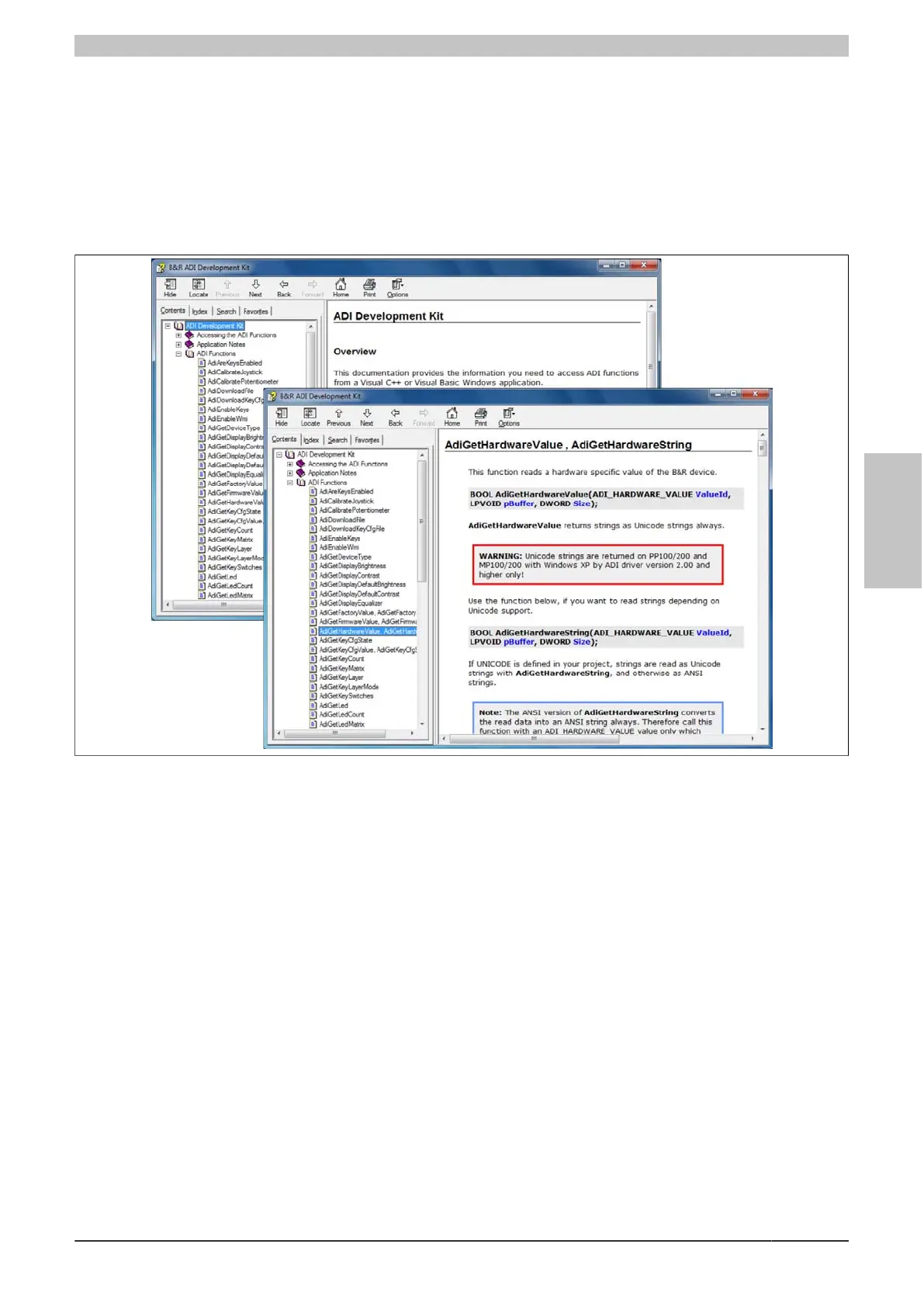
Figure 141: ADI Development Kit Screenshots (Version 3.70)
Features:
•
One Microsoft Visual Basic module with ADI function declarations
•
Header files and import libraries for Microsoft Visual C++
•
Help files for Visual Basic and Visual C++
•
Sample projects for Visual Basic and Visual C++
•
ADI DLL (for application testing if no ADI driver is installed)
The following systems are supported (version 3.70 and higher):
•
Automation PC 510
•
Automation PC 511
•
Automation PC 620
•
Automation PC 810
•
Automation PC 820
•
Automation PC 910
•
Automation PC 2100
•
Panel PC 300
•
Panel PC 700
•
Panel PC 800
•
Panel PC 900
•
Panel PC 2100



 To Next Page