Introduction
Master Link setup
If your link room product is either
an audio or a video system, it must
be connected to BeoLink Wireless 1
with a Master Link cable
.
For operation of such a setup, refer
to the Guide enclosed with your
link room product.
Note that a BeoLab 3500 setup
must also be connected to
BeoLink Wireless 1 with a
Master Link cable.
The main room is the room in
which you have placed the audio
and/or video system – complete
with their various sources (the
main system). Connected to the
main system, you will need a
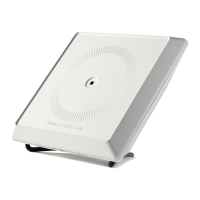
BeoLink Wireless 1 set up as
transmitter
.
The link room is where you have
set up another BeoLink Wireless 1
as receiver. To complete the link
room setup, you will need either
a Bang & Olufsen audio/video
product, or a pair of active
speakers.
Depending on the type of your
link room product, your link
room system requires either a
Master Link setup or a Power
Link setup.
4
Link room system with a compatible video product – set up with a
Master Link connection.


 To Next Page
 Loading...