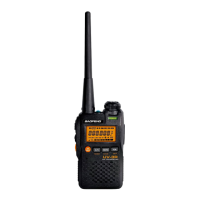
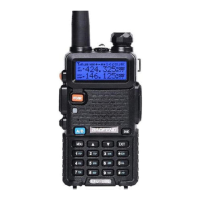
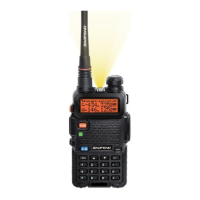
13.
Keypad lock indicator
14.Battery level indicator
15.Push to talk(TALK) button
16.VOX indication
17.Scanning indication
18.Channel/Menu item indication
19.CTCSS/Menu option-value
20.Lamp Button
21.Scan Button
22.Lamp
23.Belt attachment clip
24.Belt attachment
25.Batteries(not supplied)
26.Battery compartment
BEFORE USE(Pic 02)
To
in
sert batteries into the devices, first remove the belt attachment: lift the
attachment clip (23) and press the belt attachment up wards (24).
Open the battery compartment (26) and insert 3 AAA batteries (25) (not supplied),
ensuring that the poles are correctly aligned. Then close the lid.
USING THE TWINTALKER
1.
Turnin
g the device on/off:
To
turn the devices on or off, hold down the on/off
button(6) for 3 seconds a BEEP sound will be played to confirm.
2.Adjusting the volume:
To
increase the volume, press the Up adjust or button ▲
(4) and press the Down ▼(7) button to decrease volume.
Note:
t
he
volume level (3) is displayed on the screen.
3.Battery Charge Level/low Battery Indication
The
battery charge level is indicated by the number of squares present inside the
battery icon on the LCD Screen.
Battery Full
Battery 2/3 charged
Battery 1/3 charged
Battery empty
When the battery charge level is low, the battery icon will flash and a beep will
be heard to indicate that the batteries need to be replaced or recharged.



 To Next Page