Whe
n a button is pressed, the unit will beep briefly.
To set the key-tone.
·Press the MENU-button(11) five times. will be displayed.
·Press ▲ to enable(
ON
) or
▼ disable the Key Tones(
OF
).
·P
ress the
TALK
-bu
tton(15) to confirm your selection and return to the standby mode.
13. Roger Beep On/Off
Afte
r the
TA
LK
-
bu
tton is released, the unit will send out a roger beep to confirm
that you have stopped talking.
To set the Roger Beep.
·Press the MENU-button(11) six times. will be displayed.
·Press ▲ to enable(
ON
) or
▼ disable the Roger Beep(
OF
).
·Pre
ss the
TALK
-bu
tton(15) to confirm your selection and return to the standby mode.
·Pre
ss and hold the MENU-button(11) for two seconds to activate the Button lock
mode. The button lock icon is displayed on the LCD Screen.
·Press and hold the MENU-button(11) again for two seconds deactivate button lock.
Note
:
T
he PTT-button (15), the CALL-button (12), MON-button (5) and the on/off button
(6) will still be functional when the Button Lock is activated.
To
activate the back light of the LCD display, press any button except the MENU-button
(11) or the MON-button (5)
The LCD backlight will light up for 5 seconds.
The
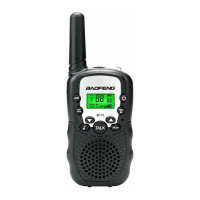
Twintalker can be used with the included earpiece.
14.Button lock
15.Display bach light
16.Earpiece connection


 To Next Page