EasyManua.ls Logo

Baofeng GT-22 - Chapter 3 - Basic Operation; Quick Start Guide

Baofeng GT-22
22 pages
Print Icon
To Next Page IconTo Next Page
To Previous Page IconTo Previous Page
Loading...
Chapter
3
—
Basic
Operation
Quick
Start
Guide
1.
Carefully
open
the
box
and
remove
the
radio
body,
battery.
2.
Install
battery
in
the
radio
body.
3.
Tum
on
power
knob
by
twisting
gently
counterclockwise. The
radio
will
respond
with
“Open
the
radio,
1"
or
whatever
channel
is
selected
by
the
taller
selector.
4.
Select
your
desired
channel,
the
radio
will
respond
with
“One,
Two,
etc.”
5.
Press
the
PTT
and
talk!
Note
The
battery
included
with
the
radio
generally
has
enough
power
in
i
to
test
your
radio.
You
should
fully
charge
the
battery
for
optimal
performance.
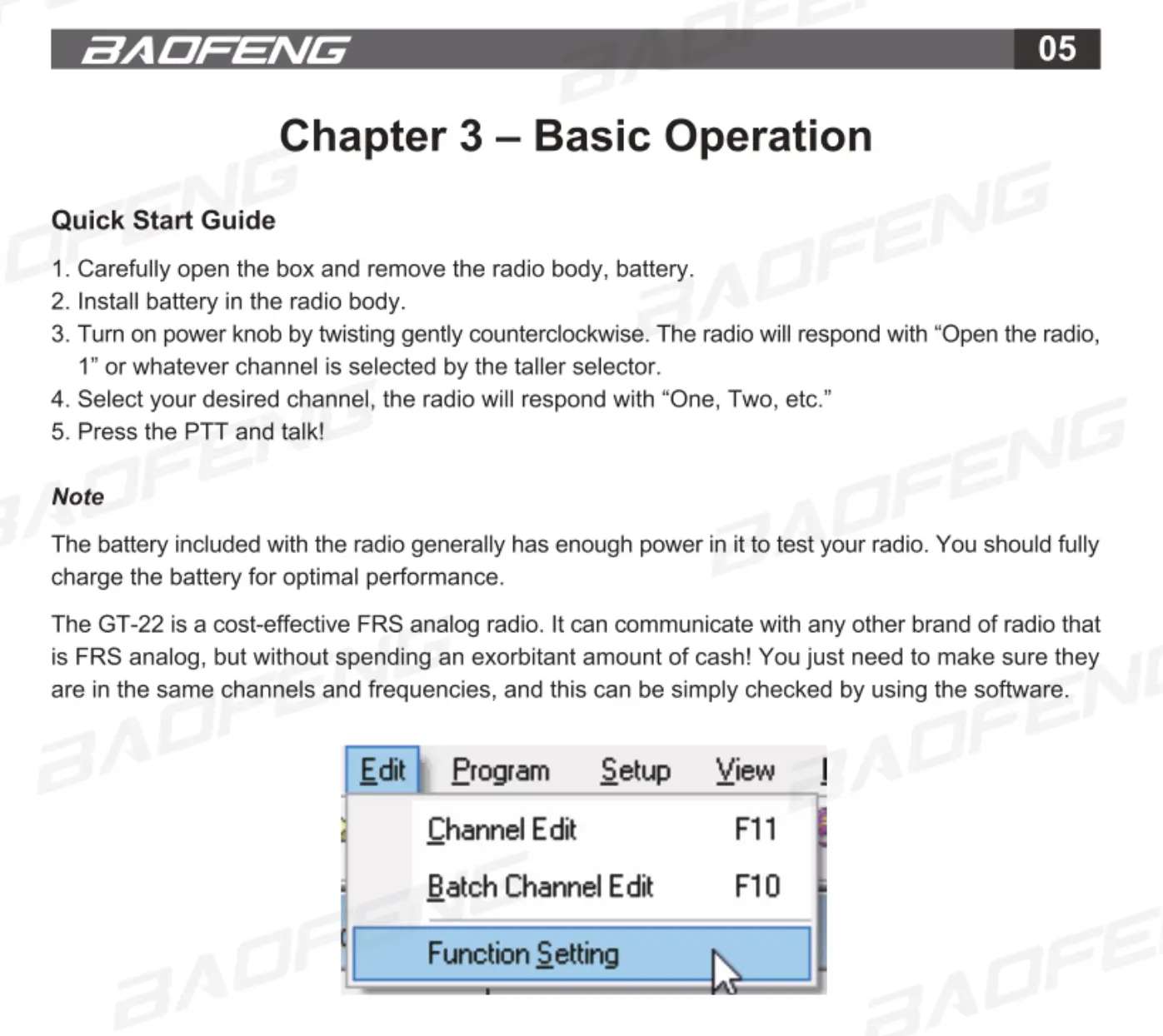
The
GT-22
is
a
cost-effective
FRS
analog
radio.
It
can
communicate
with
any
other
brand
of
radio
that
is
FRS
analog,
but
without
spending
an
exorbitant
amount
of
cash!
You
just
need
to
make
sure
they
are
in
the
same
channels
and
frequencies,
and
this
can
be
simply
checked
by
using
the
software.
Program
1
Channel
Edit
F11
Batch
Channel
Edit
F10
Setup
View
SAOFENLG
06
Squelch
The squelch
level
will
determine
the
signal
strength
at
which
the
radio
speaker
is
turned
on.
If
the
squelch
level
is
low,
the
background
noise
of
the
radio
speakers
will
be
higher,
the
corresponding
ccommunication
range
will
be further,
but
the
anti-interference
ability
will
be
weaker.
The
default
setting
of
the
squelch
level
is
3.
You
can
adjust
it
through
the
menu
"Squelch
Level”
in
the
software
from
level
0
to
9,
and
O
is
the
lowest
level.
Squelch
level
Side
Key
TX
Time
Out
Scan
Voice
Battery
Save
Function
This
function
can
be
set
by
the
software.
By
turning
on
this
function
the
standby
time
can
be
much
longer.
1.
ON:
Entering
into
the
battery
saving
state
automatically
without any
operation
for
10
seconds.
2.
OFF:
Battery
saving
is
off.