ASSEMBLY AND INITIAL USAGE
6
D
i
a
g
r
a
m
5
WARNING
Failure to heed the following warnings can result
in permanent injury, electrocution or drowning.
!
PREVENT ELECTRICAL SHOCK
• Keep the power supply at least five (5) feet from the edge of the pool (three (3)
metres (ten (10) feet)
in Canada per CEC requirements). Never submerge power
supply.
• You should only connect the power supply to a receptacle protected by a ground
fault circuit interrupter (GFCI). Contact a certified electrician if you cannot verify
that the receptacle is protected by a GFCI.
• Do not use an extension cord to connect the power supply.
• Do not allow anyone to swim while the S3 Robotic cleaner is in the pool.
ELECTRICAL CONNECTION
• For your safety and to obtain the best possible performance
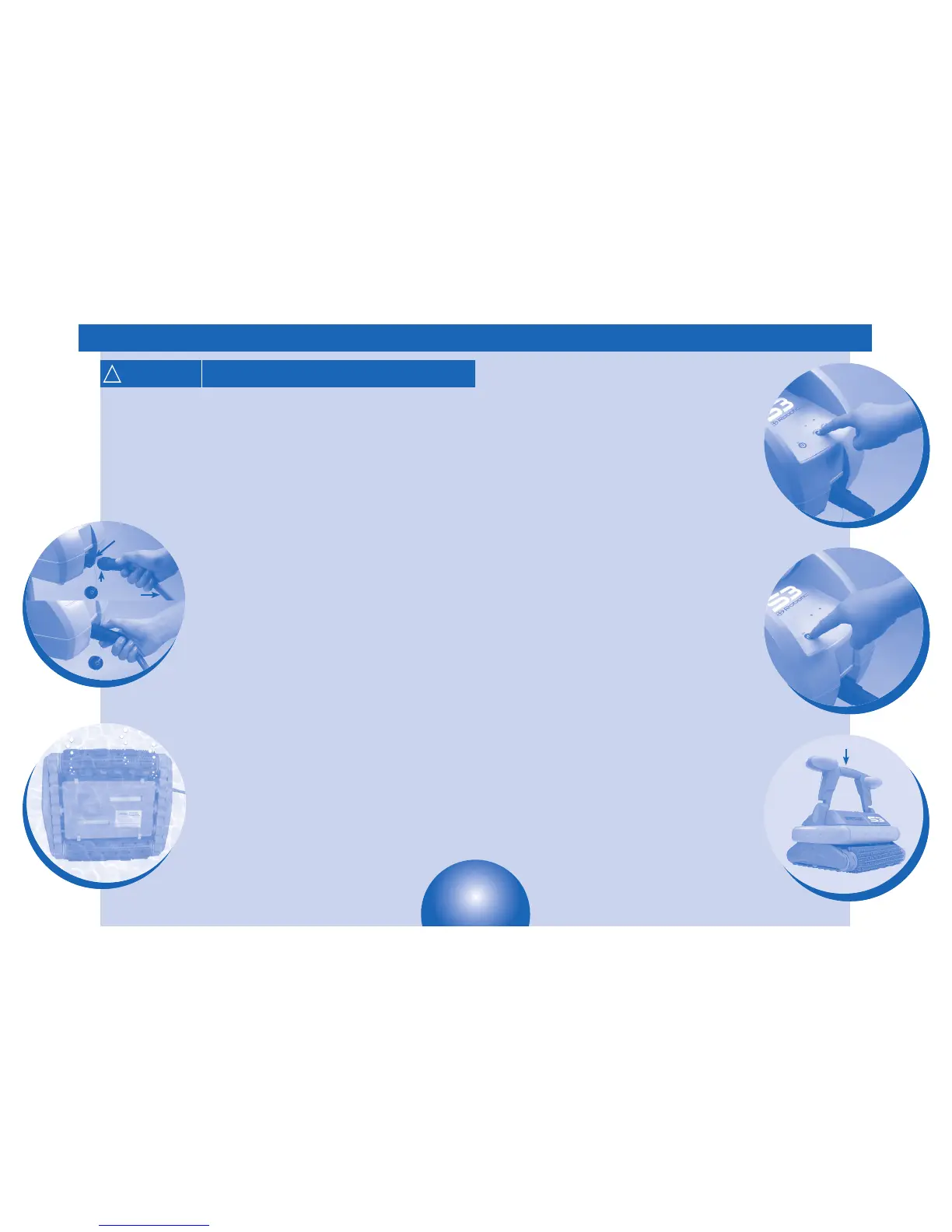
from your S3 Robotic, connect the cleaner’s floating cable to the
power supply and thread connector until it is snug—
do not over tighten. Diagram 4.
IMPORTANT:
• S3 Robotic power supply is equipped with an automatic shut off
feature to prevent over heating if operated in direct sunlight
for an extended period of time.
• S3 Robotic power supply is water-resistant, not waterproof.
Therefore, never submerge the power supply.
SUBMERGING THE CLEANER
• Submerge the cleaner in the pool and remove any air trapped
inside by turning it over if necessary. Diagram 5.
• Ensure the unit sinks to the bottom of the pool.
• Spread out the floating cable over the pool, ensuring there are
no knots or coils in the cable.
D
i
a
g
r
a
m
4
Power
Supply
Floating
Cable
Connector
INITIAL USAGE
Select either Perfect or Turbo cleaning cycle on the power
supply:
The Perfect Cycle
• Completes in three (3) hours
• Cleans walls and floors
• Intensive and complete cleaning
The Turbo Cycle
• Completed in one and a half (1½) hours
• Spends more time cleaning floor
• Maximum coverage in minimal time
• To start your S3 Robotic cleaner, press the button for the
desired cycle (Perfect or Turbo). Diagram 6. The cleaner starts
up after just a few seconds and the indicator light for the cycle
selected illuminates.
• If you wish to stop the cleaner or change cycles during a cycle, press
the OFF button. Diagram 7. To start a new cycle, press the button
for the desired cycle.
• At the end of the cycle the cleaner stops and the light remains on
to indicate the cycle it last completed.
• S3 Robotic includes a safety feature that automatically stops
the cleaner after 20 seconds, when it is powered on, but not
submerged in water. For pools equipped with a beach area, this
safety feature allows the cleaner to drive in reverse, and back
into the pool when the propeller is out of the water.
To turn the S3 Robotic off, press the OFF button. Diagram 7.
• Disconnect the power supply cable from the electrical outlet.
• Disconnect the cable from the power supply.
• At the end of each cycle, coil the cable starting at the cleaner and
go toward the connection point at power supply. Remove coils or
twists along the way.
IMPORTANT:
• Wait approximately 15 minutes after the cycle is completed before
removing the cleaner from the water. This allows the motor to cool,
and will prevent damage to the cleaner.
• Remove S3 Robotic from the pool after the cleaning cycle is
completed and store on the caddy.
• Never lift S3 Robotic out of the pool by the floating cable. Always
use the handle to remove S3 Robotic from the pool. Diagram 8.
• Remove S3 Robotic from pool when super chlorinating.
RECOMMENDATIONS
• Use your S3 Robotic cleaner as often as needed to keep
your pool clean.
• Clean filter element after each cleaning cycle.
• Do not leave your cleaner in the pool on a permanent basis.
D
i
a
g
r
a
m
7
D
i
a
g
r
a
m
8
Handle
ASSEMBLY AND INITIAL USAGE
D
i
a
g
r
a
m
6
7


 To Next Page