
 Need help?
Do you have a question about the barclaycard SmartpayTouch A920 and is the answer not in the manual?
Lists items included in the Smartpay Touch package.
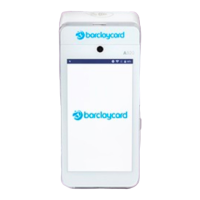
Details the physical components and features of the card reader.
Instructions for charging, applying stickers, and inserting till roll.
Guide on initial setup, including Wi-Fi and 4G connection.
Steps to automatically install the POS software on the card reader.
Guide on the initial auto-enrolment process and login screen.
Explains navigation of key buttons and features on the POS device screen.
Guide to logging in and navigating the Smartpay Touch online portal.
Essential tasks for initial setup and inventory management.
Reviewing and adjusting default business profile options in the portal.
Process for starting daily operations with or without a cash float.
Instructions for creating, editing, and checking stock via the device.
Step-by-step process for completing a sale, including payment options.
Methods for processing full and partial refunds on the device.
Steps for completing the End Day process, including cash up and reconciliation.
 General
| Device Type | Touch terminal |
|---|---|
| Model | A920 |
| Manufacturer | PAX Technology |
| Storage | 16 GB |
| Processor | Cortex A7 Quad-Core Processor |
| Display | Touchscreen |
| Display Size | 5.5 inches |
| Connectivity | Wi-Fi, Bluetooth, 4G LTE |
| Card Reader | Chip, NFC, Magnetic Stripe |
| Payment Methods | Contactless |
| Security | PCI PTS 5.x |
| Printer | thermal printer |
| Operating System | Android 7.1 |

 To Next Page
