61-101-00802.EF1 Revision J Page | 27
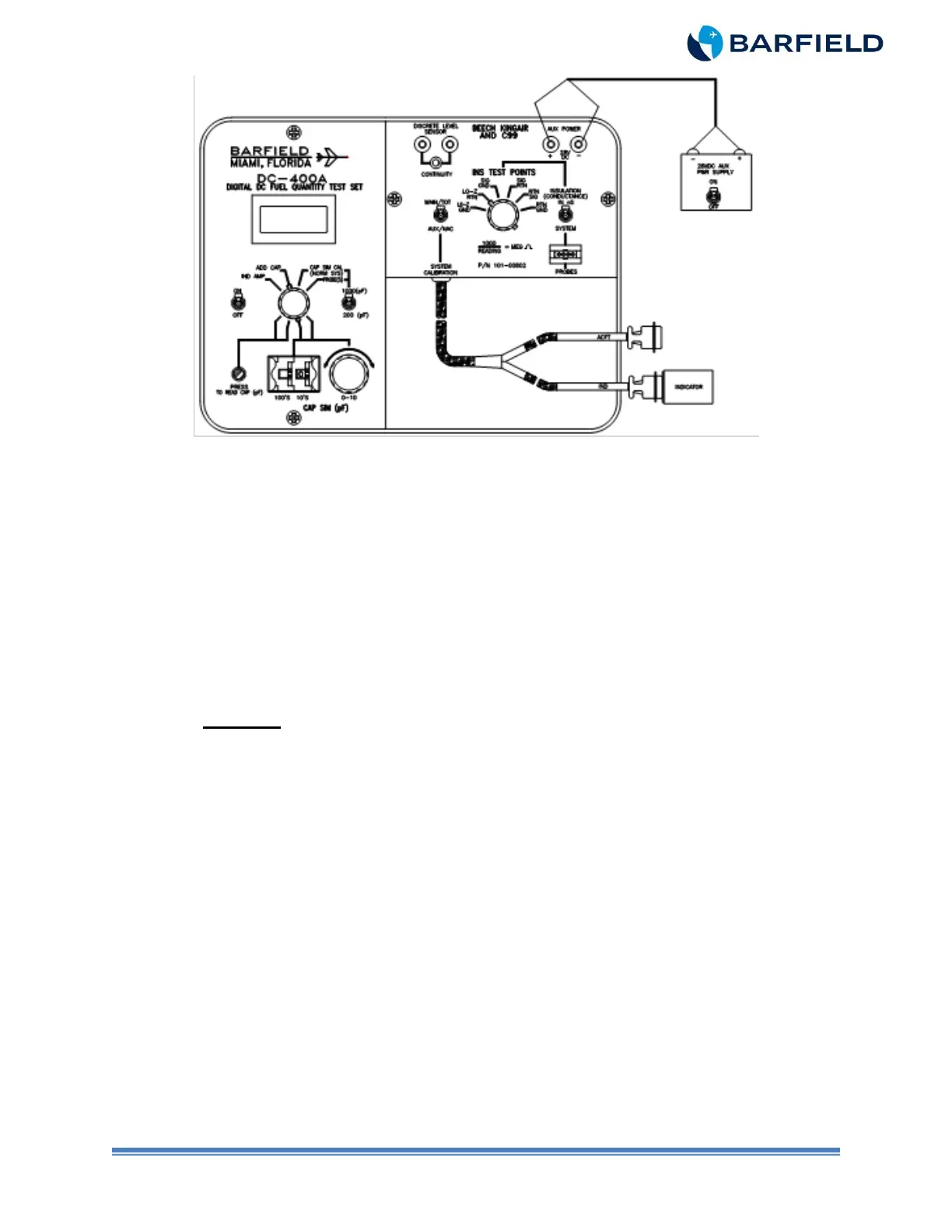
Figure 10 Indicator Bench Test
C. Test
(1) Set the T/S ON / OFF switch to ON.
(2) Set the CAP SIM (pF) 100’s to 1. Set the 10’s thumbwheels to 8.
(3) Press and hold the PRESS TO READ CAP (pF) pushbutton while adjusting CAP
SIM (pF) control knob to obtain a T/S reading of 189.0 pF.
(4) Release the pushbutton.
(5) Rotate the TEST FUNCTION switch to IND AMP.
(6) Set the 28 VDC power supply ON / OFF switch to ON.
CAUTION: DO NOT TAP BEZEL OF INSTRUMENT TO VIBRATE. TO REMOVE
FRICTION. GENTLY TAP ADJACENT PANEL OR REAR HOUSING OF
INDICATOR BEFORE TAKING READINGS.
(7) Verify the indicator reads zero lbs.
(8) If reading is not zero, adjust EMP 1 / E 1.
(9) If the indicator will not give a zero reading, replace the indicator.
(10) Rotate the TEST FUNCTION switch to CAP SIM CAL (NORM SYS).
(11) Set the 200 (pF) / 1000 (pF) switch to 1000 (pF).
(12) Set the CAP SIM (pF) 100’s thumbwheel to 2. Set the 10’s thumbwheel to 7.
(13) Push and hold the PRESS TO READ CAP (pF) pushbutton while adjusting CAP
SIM (pF) control knob to obtain a T/S reading of 273 pF.
(14) Release the pushbutton.
(15) Rotate the TEST FUNCTION switch to IND AMP.
(16) Verify the indicator reads 1200 lbs.
(17) If the indicator does not show 1200 lbs, adjust F / FULL.
(18) If the indicator still does not read 1200 lbs, replace the indicator.



 To Next Page