EasyManua.ls Logo

barigo PENTA - Programming Modes

barigo PENTA
45 pages
Print Icon
To Next Page IconTo Next Page
To Previous Page IconTo Previous Page
Loading...
BARIGO
–
Makes
the
Difference
11
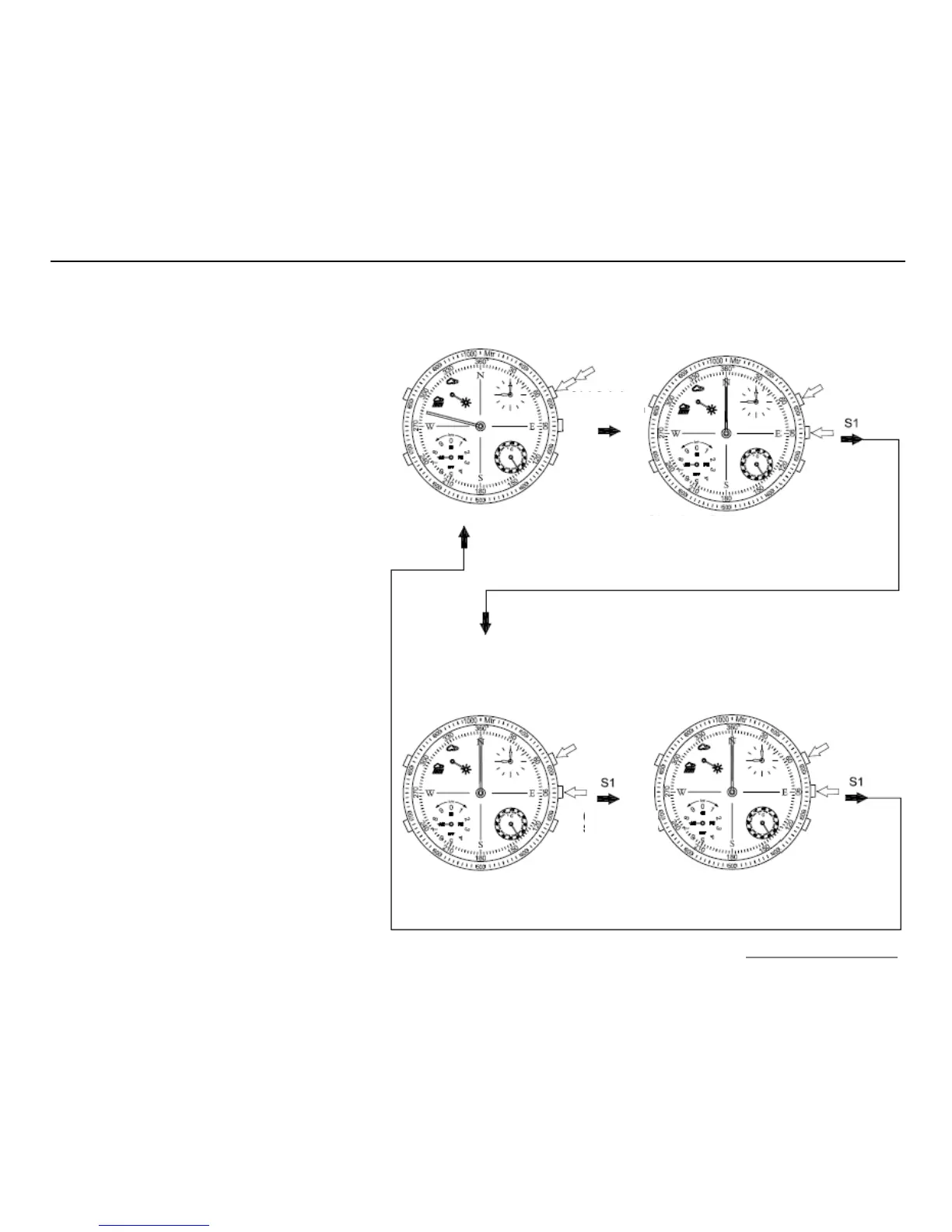
Program
ming
process
in watch mode
A1 Move minute hand to 12 o'clock
position
A2 Display temperature
A3 Display AM/PM
A4 Display weather forecast
A5 Reset indicator to 60 sec. position
S1 Press for
2 seconds
(double
signal
tone)
(single
signal
tone)
Watch mode
S1 Next step
S2 Set second hand to 60 second settings
S3 + S4 + S5 Without function
A1
Display of current time
A2
Temperature display
A3 Display AM/PM
A4 Display weather forecast
A5
Second indicator
A1
Display of current time
A2
Temperature display
A3 Display AM/PM
A4 Display weather forecast
A5
Second indicator
S1 Next step
S2 select AM/PM
S3 + S4 + S5 Without function
S1 Exit time setting mode
S2 set current time in clockwise direction
S3 + S4 + S5 Without function
(double
signal
tone)
(single
signal
tone)

Related product manuals