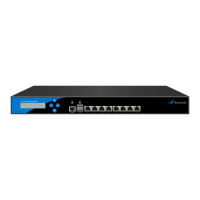
Barracuda CloudGen Firewall
Barracuda NG Firewall F400 Revision B 3 / 6
Operation Temperature 0 °C - 40 °C
Relative Humidity 5% - 95%, non-condensing
Certifications CE, FCC, ROHS
The hardware configuration list in Table 1 was valid at the time this manual was published. The
listed components are subject to change at any time, as Barracuda Networks may change
hardware components due to technological advancements. Therefore, the list may not reflect
the current hardware configuration of the Barracuda Networks NG Firewall or NG Control Center
appliance it was delivered with.
Status LEDs and Acoustic Signals
Your appliance is equipped with a variety of LEDs. One of them is the Status LED. It is labeled either
with a heart symbol or the term Status. It indicates the appliance’s operational state by changing
colors between green, orange, and red and by changing between blinking and steady glowing. The
table below shows the different meanings of the different glowing states.
Color
Glowing
State
Meaning installation
Meaning Normal Operation or
Active Recovery Technology
Operation
Off Off
Appliance is powered off or
installation has not initialized far
enough for LED control when
installation is started.
Appliance is powered off.
Green Blinking Normal installation.
Appliance is either booting, shutting
down or performing a system update.
Green Steady
Installation was completed
successfully, appliance is halted for
reboot or installation was not yet
initialized far enough for LED
control.
Barracuda NG Firewall is up and running.
Red Blinking Error during installation.
An error has appeared preventing
Barracuda NG Firewall from entering the
up state.
If no orange light available: appliance is
in ART mode.
Red Steady -
Appliance is halted and may be
disconnected.
Orange Blinking - -
Orange Steady - Appliance is in ART mode.


 To Next Page
 Loading...