Barracuda CloudGen Firewall
Barracuda NG Firewall F400 Revision B 4 / 6
Acoustic Signal Frequency Meaning Installation
Beep 1 time Unit starts booting
Beep 3 times
Installation is completed successfully and appliance is halted for
reboot. After reboot, one beep indicates booting.
Not all appliances support orange and/or red LED colors. Depending on the appliance type, the
status LED might be on by default and it might take some time during boot and installation to
start either blinking or changing the color. Furthermore, the status LED might blink at different
frequencies.
Serial Console Port
In order to establish a console connection to the appliance using a serial cable (RJ45), you need to
configure the serial port on the terminal using the following parameters:
Parameter Value
Baud 19200
Bits 8
Stop bit 1
Parity None
Handshake None
LC Display
Navigating
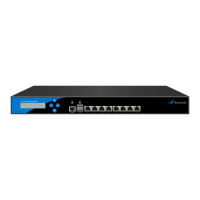
This security appliance features a key pad with four keys and an LCD panel on the left side of the
front panel. These may be used to obtain certain information and to perform certain commands
directly on the appliance.
Key Command
Left or Escape Navigates back or acts like an Escape key while working in the LCD menu.
Up Navigates up or increases a value.
Down Navigates down or decreases a value.
Right or Enter Navigates forth or acts like an Enter key for confirming a configuration step.


 To Next Page
 Loading...