EasyManua.ls Logo

Barska Point 'n View - Camera Basic Operations; Battery Handling Notes; Inserting Batteries; Taking Pictures with the Camera

Barska Point 'n View
3 pages
Print Icon
To Next Page IconTo Next Page
To Previous Page IconTo Previous Page
Loading...
(OT
TAR
Me
s
TIRIK
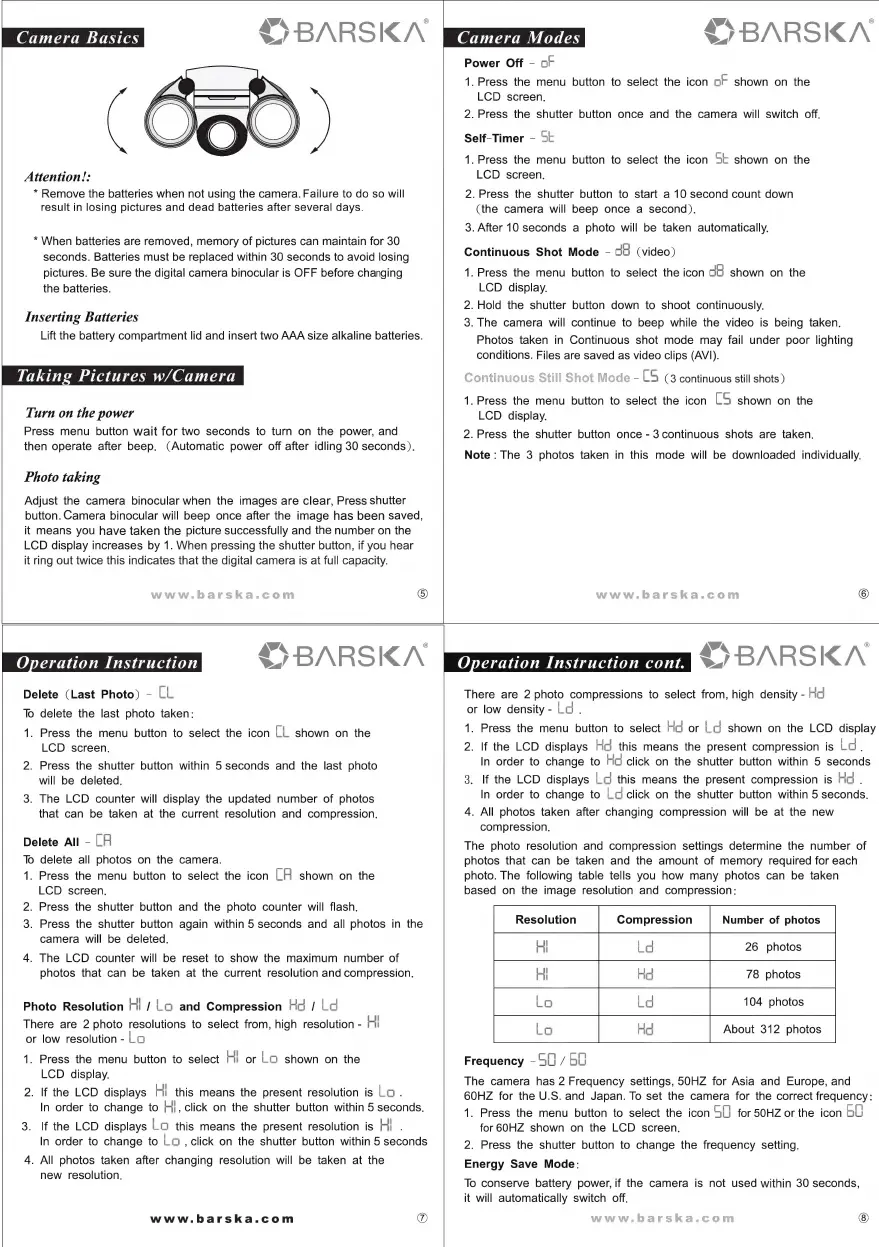
Attention!:
*
Remove
the
batteries
when
not
using
the
camera.
Failure
to
do
so
will
result
in
losing
pictures
and
dead
batteries
after
several
days.
*
When
batteries
are
removed,
memory
of
pictures
can
maintain
for
30
seconds.
Batteries
must
be
replaced
within
30
seconds
to
avoid
losing
pictures.
Be
sure
the
digital
camera
binocular
is
OFF
before
changing
the
batteries.
Inserting
Batteries
Lift
the
battery
compartment
lid
and
insert
two
AAA
size
alkaline
batteries.
Taking
Pictures
w/Camera
Turn
on
the
power
Press
menu
button
wait
for
two
seconds
to
turn
on
the
power,
and
then
operate
after
beep.
(Automatic
power
off
after
idling
30
seconds).
Photo
taking
Adjust
the
camera
binocular
when
the
images
are
clear,
Press
shutter
button.
Camera
binocular
will
beep
once
after
the
image
has
been
saved,
it
means
you
have
taken
the
picture
successfully
and
the
number
on
the
LCD
display
increases
by
1.
When
pressing
the
shutter
button,
if
you
hear
it
ring
out
twice
this
indicates
that
the
digital
camera
is
at
full
capacity.
$9
BARSKA
S
BARSKN
Power
Off
-
oF
1.
Press
the
menu
button
to
select
the
icon
oF
shown
on
the
LCD
screen.
2.
Press
the
shutter
button
once
and
the
camera
will
switch
off.
Self-Timer
-
St
1.
Press
the
menu
button
to
select
the
icon
St
shown
on
the
LCD
screen.
2.
Press
the
shutter
button
to
start
a
10
second
count
down
(the
camera
will
beep
once
a
second).
3.
After
10
seconds
a
photo
will
be
taken
automatically.
Continuous
Shot
Mode
-
cH
(video)
1.
Press
the
menu
button
to
select
the
icon
dB
shown
on
the
LCD
display.
2.
Hold
the
shutter
button
down
to
shoot
continuously.
3.
The
camera
will
continue
to
beep
while
the
video
is
being
taken.
Photos
taken
in
Continuous
shot
mode
may
fail
under
poor
lighting
conditions.
Files
are
saved
as
video
clips
(AVI).
-
LS
(3
continuous
still
shots)
1.
Press
the
menu
button
to
select
the
icon
LS
shown
on
the
LCD
display.
2.
Press
the
shutter
button
once
-
3
continuous
shots
are
taken.
Note
:
The
3
photos
taken
in
this
mode
will
be
downloaded
individually.
®
\ahN
8
BARSKA
Delete
(Last
Photo)
-
LL
To
delete
the
last
photo
taken:
1.
Press
the
menu
button
to
select
the
icon
LL
shown
on
the
LCD
screen.
2.
Press
the
shutter
button
within
5
seconds
and
the
last
photo
will
be
deleted.
3.
The
LCD
counter
will
display
the
updated
number
of
photos
that
can
be
taken
at
the
current
resolution
and
compression.
Delete
All
-
LH
To
delete
all
photos
on
the
camera.
1.
Press
the
menu
button
to
select
the
icon
LH
shown
on
the
LCD
screen.
2.
Press
the
shutter
button
and
the
photo
counter
will
flash.
3.
Press
the
shutter
button
again
within
5
seconds
and
all
photos
in
the
camera
will
be
deleted.
4.
The
LCD
counter
will
be
reset
to
show
the
maximum
number
of
photos
that
can
be
taken
at
the
current
resolution
and
compression.
Photo
Resolution
Hi
/
Lo
and
Compression
Hd
/
Ld
There
are
2
photo
resolutions
to
select
from,
high
resolution
-
Hi
or
low
resolution
-
Lo
1.
Press
the
menu
button
to
select
HI
or
LO
shown
on
the
LCD
display.
2.
If
the
LCD
displays
Hi
this
means
the
present
resolution
is
Lo
.
In
order
to
change
to
H},
click
on
the
shutter
button
within
5
seconds.
3.
If
the
LCD
displays
LO
this
means
the
present
resolution
is
Hi
.
In
order
to
change
to
Lo
,
click
on
the
shutter
button
within
5
seconds
4.
All
photos
taken
after
changing
resolution
will
be
taken
at
the
new
resolution.
www.barska.com
D
VA
®
BARSKA
There
are
2
photo
compressions
to
select
from,
high
density
-
Hd
or
low
density
-
Ld.
1.
Press
the
menu
button
to
select
Hg
or
Ld
shown
on
the
LCD
display
2.
If
the
LCD
displays
Hg
this
means
the
present
compression
is
Lo.
In
order
to
change
to
Hd
click
on
the
shutter
button
within
5
seconds
3.
If
the
LCD
displays
Lo
this
means
the
present
compression
is
Ho
.
In
order
to
change
to
Log
click
on
the
shutter
button
within
5
seconds.
4.
All
photos
taken
after
changing
compression
will
be
at
the
new
compression.
The
photo
resolution
and
compression
settings
determine
the
number
of
photos
that
can
be
taken
and
the
amount
of
memory
required
for
each
photo.
The
following
table
tells
you
how
many
photos
can
be
taken
based
on
the
image
resolution
and
compression:
78
photos
Lo
Ho
About
312
photos
Lo
Frequency
-60
/
60
The
camera
has
2
Frequency
settings,
50HZ
for
Asia
and
Europe,
and
60HZ
for
the
U.S.
and
Japan.
To
set
the
camera
for
the
correct
frequency:
1.
Press
the
menu
button
to
select
the
icon
SU)
for
50HZ
or
the
icon
bU
for
60HZ
shown
on
the
LCD
screen.
2.
Press
the
shutter
button
to
change
the
frequency
setting.
Energy
Save
Mode:
To
conserve
battery
power,
if
the
camera
is
not
used
within
30
seconds,
it
will
automatically
switch
off.

Related product manuals