EasyManua.ls Logo

Barska WINBEST Pursuit-300 - User Manual

Barska WINBEST Pursuit-300
9 pages
Print Icon
To Next Page IconTo Next Page
Loading...
Metal Detector
WINBEST® by BARSKA®, as manufacturer, warrants this new product to be free of
original defects in materials and/or workmanship for the length of time specied by this
warranty. This warranty does not include damage caused by abuse, improper handling,
installation, maintenance, normal wear-and-tear, unauthorized repairs or modications
and tampering in anyway.
This warranty is limited to the original purchaser and is not transferable. This warranty
applies only to products purchased in the United States of America and Canada.
In the event of a defect within 30 days, the consumer must return the defective unit to the
WINBEST® by BARSKA® dealer (the place of purchase) at his/her own expense.
Beyond 30 days, WINBEST® by BARSKA® products should be sent to the following
address for warranty repairs. Products must be packed carefully and sturdily to prevent
damage in transit, and returned freight prepaid to:
WINBEST® by BARSKA®
855 Towne Center Drive
Pomona, CA 91767
For additional and updated information
please visit www.barska.com
Please email info@barska.com or call 1.888.666.6769 for Return Merchandise Number
(RMA#) before any returns.
NOTE: All merchandise received without a valid RMA# will be returned to shipper at his/
her own expense.
Please include all of the following when returning WINBEST® by BARSKA® products for
service and/or replacement:
1. Please write your complete details (Name, Address, Telephone #, E-mail address,
RMA#, etc.)
2. Purchase receipt or Proof of Purchase. (Original/Copy)
3. A brief explanation of the defect
4. A Check/Money Order of $35.00 to cover inspection, shipping and handling
*Please allow 6-8 weeks for delivery
This product will either be replaced or repaired at the discretion of the warrantor. If it’s
a discontinued item, we will replace the product with an equivalent product. Should the
repair not be covered by this warranty, an estimate will be sent for your approval. Non-
warranty repairs or refurbishing are always provided at a reasonable cost.
WINBEST® by BARSKA® shall not be liable for any consequential, incidental and/or
contingent damages whatsoever. We will not pay shipping, insurance or transportation
charges from you to us, or any import fees, duties and or taxes. This warranty supersedes
all previous Winbest® by BARSKA warranties.
©2020 BARSKA®
BC317
1 YEAR LIMITED WARRANTY
12/20
Pursuit-300 Edition
Metal Detector
©2020 BARSKA®
855 Towne Center Drive | Pomona, CA 91767
(t) 888.666.6769 | (f) 909.445.8169 | www.barska.com
12/20
BC655
Question and Answer IconNeed help?

Do you have a question about the Barska WINBEST Pursuit-300 and is the answer not in the manual?

Summary

1 Year Limited Warranty

Warranty Coverage and Exclusions

Details the warranty period, what is covered, and common exclusions like abuse or unauthorized repairs.

Return Merchandise Authorization (RMA)

Outlines the process for returning products for warranty service, including RMA number requirement and required documentation.

Warranty Repair Process

Explains how to send products for repair, including shipping instructions and estimated delivery times.

Product Features and Assembly

Key Detector Features

Describes the main functionalities and components of the metal detector, such as LCD display and audio discrimination.

Assembly Instructions

Provides step-by-step guidance for assembling the metal detector components.

Setup Procedures

Installing Batteries

Details the correct procedure for inserting 9V batteries into the detector, including safety warnings.

Headphone Usage and Safety

Explains how to connect headphones and provides essential listening safety guidelines to prevent hearing damage.

Control Panel and Operation

Control Panel Overview

Identifies and describes the main components of the control panel and LCD display.

Button Functions and Operation

Explains the purpose and operation of each control button (MENU, SENS, DISC, NOTCH, PP, VOLUME).

Indoor Testing and Mode Setup

Indoor Testing Setup

Guides users on how to properly position the detector for indoor testing and prepare the environment.

Discrimination Feature Demonstration

Demonstrates how to use the DISC function to ignore unwanted targets and detect specific metals.

Notch Feature Demonstration

Shows how to use the NOTCH function to exclude specific target IDs from detection.

Advanced Operation and Sensitivity

Notch Feature Details

Provides further explanation on adding and removing targets from the notch list and important notes.

Sensitivity Adjustment

Explains how to adjust the detector's sensitivity level for optimal performance, with related notes.

Pinpoint Function Usage

Details how to use the PP (Pinpoint) button to accurately locate a detected metal target.

Target Identification and Outdoor Use

Target Indications and Tones

Explains how the detector indicates different target types using tones and numeric ranges.

Outdoor Testing and Use

Provides instructions for testing the detector outdoors and using it in various environments.

Operational Tips and Detection Factors

Search Coil Sweeping Hints

Offers advice on proper search coil sweeping techniques to avoid false readings and maximize detection.

Factors Affecting Detection

Lists various environmental and target-related factors that can influence detection accuracy.

Troubleshooting and Maintenance

Troubleshooting Guide

Lists common problems like false signals and provides suggested solutions.

Care and Maintenance

Advises on proper handling, cleaning, and environmental considerations for the detector.

Important Cautions

Highlights critical safety warnings and precautions, especially regarding water and internal damage.

Overview

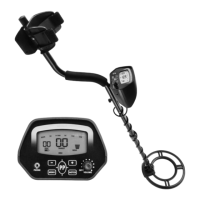
The WINBEST® by BARSKA® Pursuit-300 Edition Metal Detector is a versatile and easy-to-use device designed for hunting coins, relics, jewelry, gold, and silver. It features high sensitivity and strong discrimination capabilities, allowing users to find valuable items while ignoring unwanted junk metal.

Function Description:

The metal detector operates by sweeping a search coil over an area to detect metallic objects. When a metal target is detected, it sounds a tone and displays information on its LCD screen. The device offers several operating modes and features to enhance the detection experience:

  • LCD Display: Shows the probable type of metal, target depth, DISC & NOTCH range, sensitivity level, and battery condition. It also provides a numeric display for the target.
  • Three-Tone Audio Discrimination: Emits three distinct tones (high, medium, and low) for different types of metal, aiding in identification.
  • Notch: Allows users to ignore junk metal and focus on valuable items by setting a specific notch range.
  • DISC (Discrimination): Discriminates unwanted targets by setting a numeric range (00-80). The detector will not detect targets beyond this set range.
  • LIGHT: Provides illumination for use in dark areas.
  • PP (Pinpoint): Accurately pinpoints the exact location of a detected target.
  • Super Slow Sweep Identification: Discriminates different types of metal with a very slow sweep of the search coil.

Important Technical Specifications:

  • Search Coil: 250mm waterproof search coil, allowing use in shallow water.
  • Headphone Jack: 3.5mm jack for connecting headphones (not supplied), which disconnects the internal speaker.
  • Power: Requires two 9-volt alkaline batteries (not included).
  • Adjustable Stem: Allows users to adjust the length for comfortable use.

Usage Features:

  • Turning On: Rotate the volume control clockwise to power on the detector.
  • Setting Sensitivity (SENS): Press MENU to select SENS, then use '+' or '-' to adjust the sensitivity level (displayed on the LCD). Higher sensitivity can detect deeply buried targets but may also pick up interference.
  • Setting Discrimination (DISC): Press MENU to select DISC, then use '+' or '-' to set the numeric range (00-80) for discrimination. This helps ignore unwanted targets.
  • Setting Notch: Press MENU to select NOTCH, then use '+' or '-' to select the target to be notched. Press NOTCH again to make the target ID disappear.
  • Pinpointing (PP): Hold down the PP button and slowly move the search coil around the sound area until the detector sounds loudest and the signal indicator displays a stronger signal.
  • Using LIGHT: Press MENU to select LIGHT, then use '+' or '-' to adjust the brightness level (0-9). Note that backlight consumes more power.
  • Search Coil Sweeping: Sweep the search coil slowly from side to side in an arc line of 3 inches, keeping it parallel with the ground. Avoid sweeping like a pendulum or raising the coil, as this can cause false readings.
  • Target Identification: The LCD displays target indicators (IRON, 5¢, P-TAB, ZN, 10¢, 25¢) with corresponding numeric ranges (e.g., IRON 00-10, 5¢ 11-20). The audio system provides low, medium, and high tones for different metal categories.
  • Indoor Testing: Place the detector on a table with the search coil hanging over the edge, away from walls and metal objects. Remove personal metal items. Test with samples to understand how the detector reacts to different metals.
  • Outdoor Testing: Find an area free of metal interference. Place a metal sample on the ground and sweep the search coil 1-2 inches above the surface in a side-to-side motion.

Maintenance Features:

  • Battery Installation: Turn off power, slide off battery covers, and insert two 9V batteries matching polarity symbols. Remove batteries if not using the unit for a week or more to prevent leakage. Dispose of old batteries properly.
  • Care and Handling: Handle the detector gently to avoid damaging circuit boards. Use it in normal temperature environments.
  • Cleaning: Keep the detector away from dust and dirt. Wipe with a damp cloth occasionally. Do not use harsh chemicals or strong detergents.
  • Search Coil: The search coil is waterproof for fresh or sea water. Always clean the search coil with fresh water after use in sea water to prevent erosion. Avoid letting water enter the machine body.
  • Troubleshooting: A guide is provided for common issues such as false signals (due to interference, high humidity, high sensitivity, fast sweeping, or proximity to other detectors), inability to identify targets (due to oxidized metal, loose cable, or dead battery). Solutions include changing location, reducing sensitivity, sweeping slowly, ensuring proper cable connection, and replacing batteries.
  • Warranty: A 1-year limited warranty covers original defects in materials and/or workmanship for products purchased in the United States and Canada. It does not cover damage from abuse, improper handling, unauthorized repairs, or normal wear-and-tear. For repairs, products should be sent to WINBEST® by BARSKA® with an RMA#, proof of purchase, and a $35.00 fee for inspection, shipping, and handling.

Barska WINBEST Pursuit-300 Specifications

General IconGeneral
BrandBarska
ModelWINBEST Pursuit-300
CategoryMetal Detector
LanguageEnglish

Related product manuals