OPERATION OPERATION
USING THE APPLIANCE
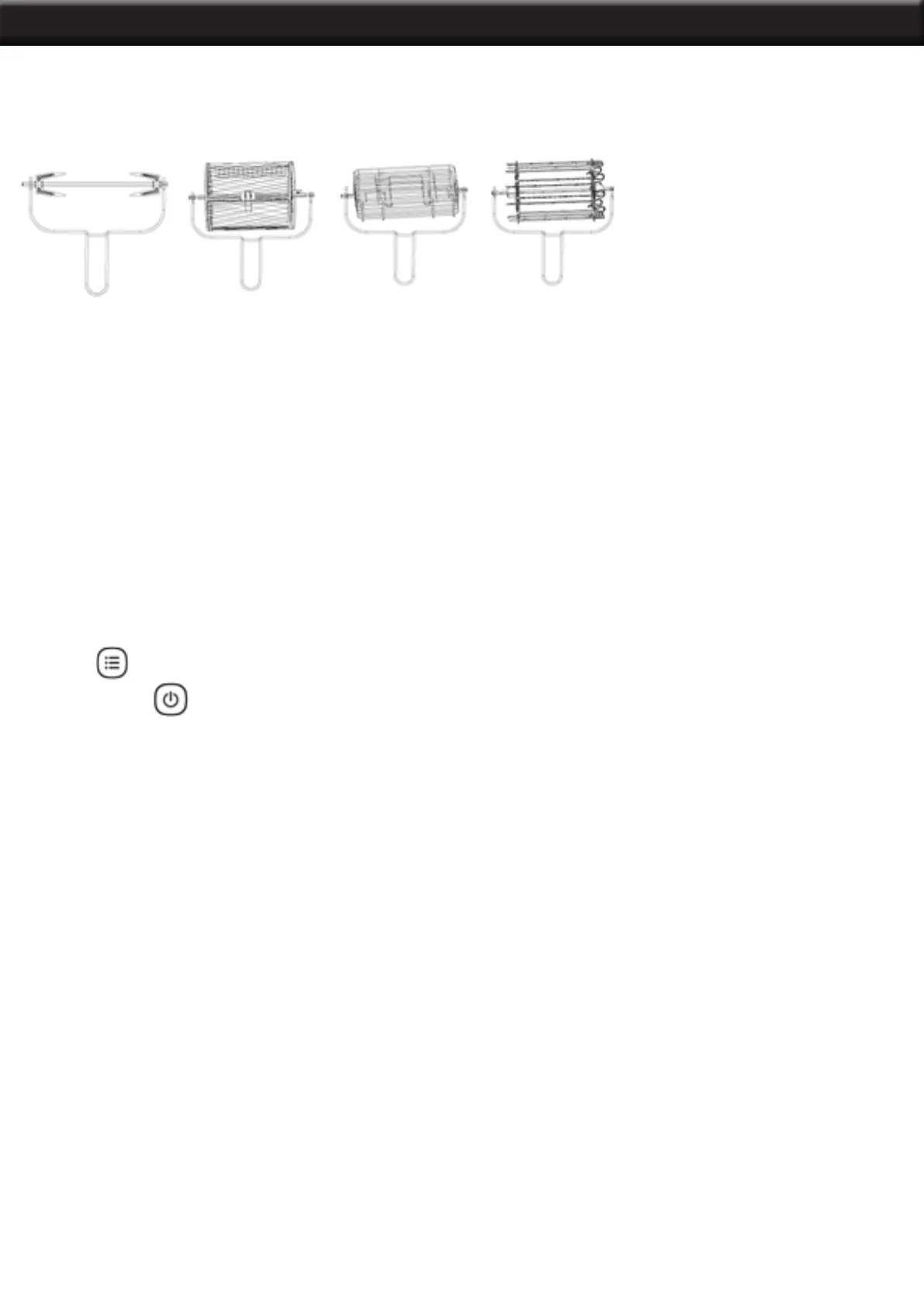
Use the rotisserie fork, rolling cage, steak cage, skewer rack and cage tongs. As shown in the gure
below:
Product operating instructions
1. When the power is turned on, the buzzer rings, and the digital screen ashes with all the indicator
lights and screens to display the black screen.
2. Press the “ON/OFF” button, indicator light and digital screen light up ,unit into standby mode.
3. In standby mode , except the “ ON / OFF “ Menu “ Preset “ key , all other keys are locked .
4. in standby mode,if no any operation within 60 seconds ,machine will be shut down automatically.
5. In.Press the “Menu” to enter into the function selection mode, select a correct function, press the
“ON/OFF” key, then machine will go into the working mode.
Menu function selection
1. Press key, each time you press the key, the corresponding function menu ashes. When
selected, press key, the cooker starts.
2. Here is our menu combination, and you can also change cooking time and temperature
according to actual needs.
7
FRIES: 430°F for 25 mins
FROZEN FOOD: 180°F for 10 mins
WINGS: 390°F for 15 mins
DEHYDRATE: 160°F for 8 hours
STEAK: 360°F for 12 mins
CHIPS: 430°F for 20 mins
FISH: 360°F for 15 mins
VEGETABLES: 360°F for 12 mins
POPCORN: 430°F for 10mins(Need to preheat for 2 minutes)
CHICKEN: 430°F for 30 mins
CAKE: 360°F for 30 mins
SKEWER: 390°F for 15 mins
Cooking Times:
PIZZA: 360°F for 15 mins
KEEP WARM: 180°F for 30 mins
TOAST: 390°F for 4 mins
COOKIES: 360°F for 12 mins
NOTE: The larger the serving of roasted chicken or food, the longer it takes to increase the time and
temperature, depending on the actual situation.


 To Next Page