6.Expanding Hard Drive(Optional)
a. Prepare your hard drive
Your hard drive must meet the following requirements:
Type
Mechanical hard drive (HDD) or solid
state drive (SSD) with SATA interface.
Size 2.5 inches
16TB(Max.)
Western Digital, Seagate, SAMSUNG,
Kingston, PNY, Crucial, SanDisk.
Capacity
Recommending
Brands
② Loosen the screws and pull out the
hard drive enclosure.
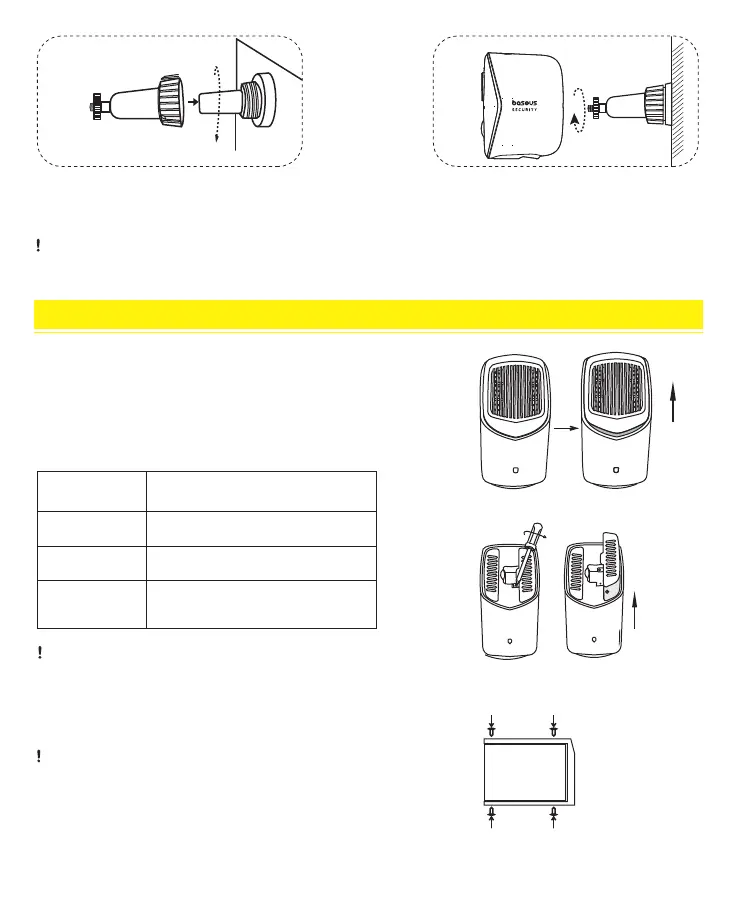
④ Screw the knob of the mounting bracket firmly
into the mounting hole.
⑤ Tighten the camera to the mounting bracket
and adjust the viewing angle by checking the live
stream feed in the baseus Security app.
① Remove the Homestation top cover.
The H1 HomeStation includes 16GB of built-in storage, which
can be expanded with an external hard drive. Follow these
steps to set it up:
04
For troubleshooting, turn to the Service Center module in the baseus Security App for help.
Before adding a hard drive to the H1 Homestation,
please transfer all data on the hard drive to a safe
location.
③ Use the included screws to secure the
new hard drive to the enclosure.
HARD DRIVE
b. Install your hard drive
The H1 HomeStation must be turned off when you
install or remove the hard drive.



 To Next Page