26
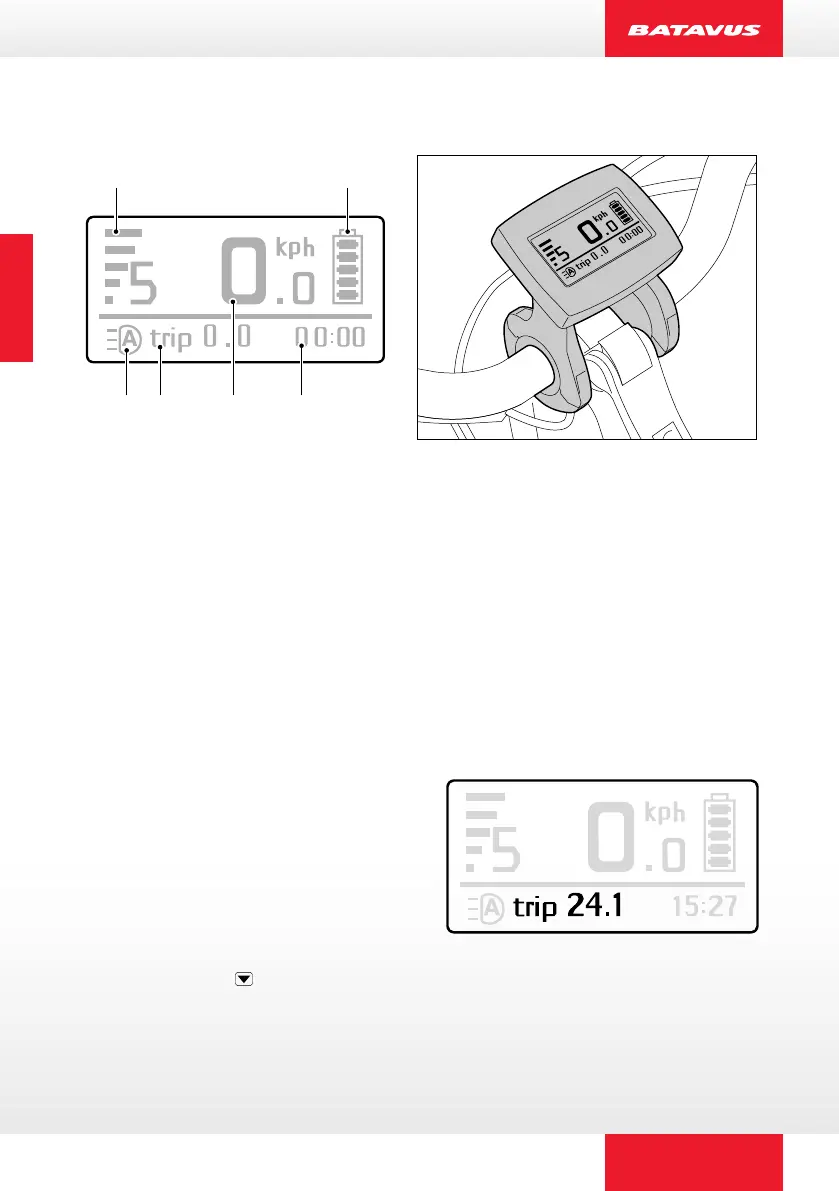
2.2 Function display
A
C
D
E
F
B
A. Charge level indicator
The charge level of the battery pack is shown on the display by ve levels in
the battery icon.
B. Changing the pedal assistance level
The display shows the power assistance level on the basis of the ve blocks
on the left-hand side (ve power level steps).
C. Speed
D. Time
E. Variable indicator
Pressing the MODE button will allow
you to toggle between the daily
distance (TRIP), trip time (TRIP),
maximum speed (MAX), average
speed (AVG) and total distance
(ODO). You can simultaneously
reset the daily distance, trip time
and average speed by pressing and
holding down the button for three
Trip distance
ENGLISCH


 To Next Page